


When Josh Kaufman's MacBook was stolen from his apartment in Oakland, California, it would have been the end of the story - if Josh hadn't had the foresight and curiosity to install Hidden, a Mac app that locates your laptop and sends you surreptitious pictures of the thief.
Kaufman said the laptop was stolen on 21 March and though he'd told police the location of his laptop, they said a lack of resources meant they couldn't help. After successfully attracting attention by publishing pictures of a man in possession of the laptop and posting them on Tumblr for nearly two months, Kaufman was told that police had tracked down and arrested the man.
Showing posts with label Operating Sysytems. Show all posts
Showing posts with label Operating Sysytems. Show all posts

You might not have received Windows 7, but Microsoft already has big plans for the upcoming OS for 2012 – Windows 8.
Let’s discuss each of the possible improvements, based on proofs from confirmed sources.
Windows 7 would be the last 32-bit OS from Microsoft. Microsoft has already accelerated development of Windows 8 with support for 128 bit platform, and exclusive support by Windows 9.
As per Microsoft:
Working in high security department for research and development involving strategic planning for medium and longterm projects. Research & Development projects including 128bit architecture compatibility with the Windows 8 kernel and Windows 9 project plan. Forming relationships with major partners: Intel, AMD, HP, and IBM.
Robert Morgan is working to get IA-128 working backwards with full binary compatibility on the existing IA-64 instructions in the hardware simulation to work for Windows 8 and definitely Windows 9.

Microsoft is bound to produce a few Milestone releases of Windows 8, before actually taking it to the next level, and producing the first Beta build. As per the news, Windows 8 could hit Beta as early as mid-2011, a year from now. Of course, all reports related to Windows 8 need to be taken with a grain of salt, since no actual details were confirmed by Microsoft.
“With 150 million sold copies of Windows 7 later, we are now at a little after eight months since the latest major version of Windows was released, and almost a year since it RTM’d. Just the right time for Microsoft to start the actual coding for Windows 8″ says Microsoft.
Well nothing is confirmed yet. For enthusiasts who want to taste the feel of Windows 8 you can see some of the most probable Windows 8 Wallpaper and Windows 8 Transformation packs to get a feel of it, Though all are unofficial.

Install:
- Download and extract using WinRAR.
- Use Nero or other burning app to burn the ISO image
- Burning speed should not be faster than 4x. Otherwise, it might not work.
- Restart your computer.
- Make sure you have selected your DVD-ROM/RW drive as a first boot device.
* Enter the BIOS pressing the DEL button, set the option, insert your Windows 7 installation and restart computer.
- The black screen will appear (image 01).
- Press any key to boot from CD or DVD.... (by pressing the key you are entering the setup)
- Select your language, time and currency and keyboard input (optionaly)
- Click install now
- Choose your edition (x86 is 32-bit, x64 is 64-bit) depending of CPU type you have.
*Choose x64 if you have 64-bit processor.
- Click \"I accept\".
- Click \"Custom\" (advanced).
- Choose your partition/hdd drive where Win7 should be installed and click format.
*You might get some error if you have two or more hard disks with different connectors (ATA and SATA).
If you get an error, turn off one of your hard disks and repeat the whole proces.
- After formatting, setup will continue automaticly and it will finish after 15-30 min.
- Next step would be username
- Type your password (if you want).
- When you get the screen for CD-KEY just ignore it leaving blank.
*Uncheck the box for automaticly activation and click next.
- Choose the third option for next step.
- Select your time zone.
- Select your current location (Home is recommended).
- The black CMD windows will appear. Wait a few seconds until computers restares once again.
- And that would be all about installation. You are in Windows now.
Download:
Send a message via Yahoo to DestroyeR
Hf Windows 7 Ultimate
Microsoft Windows 7 ULTIMATE x64/x86 Genuine FULLY PRE-ACTIVATED
Install:
- Download and extract using WinRAR.
- Use Nero or other burning app to burn the ISO image
- Burning speed should not be faster than 4x. Otherwise, it might not work.
- Restart your computer.
- Make sure you have selected your DVD-ROM/RW drive as a first boot device.
* Enter the BIOS pressing the DEL button, set the option, insert your Windows 7 installation and restart computer.
- The black screen will appear (image 01).
- Press any key to boot from CD or DVD.... (by pressing the key you are entering the setup)
- Select your language, time and currency and keyboard input (optionaly)
- Click install now
- Choose your edition (x86 is 32-bit, x64 is 64-bit) depending of CPU type you have.
*Choose x64 if you have 64-bit processor.
- Click \"I accept\".
- Click \"Custom\" (advanced).
- Choose your partition/hdd drive where Win7 should be installed and click format.
*You might get some error if you have two or more hard disks with different connectors (ATA and SATA).
If you get an error, turn off one of your hard disks and repeat the whole proces.
- After formatting, setup will continue automaticly and it will finish after 15-30 min.
- Next step would be username
- Type your password (if you want).
- When you get the screen for CD-KEY just ignore it leaving blank.
*Uncheck the box for automaticly activation and click next.
- Choose the third option for next step.
- Select your time zone.
- Select your current location (Home is recommended).
- The black CMD windows will appear. Wait a few seconds until computers restares once again.
- And that would be all about installation. You are in Windows now.
WINDOWS IS 100% GENUINE FULLY ACTIVATED AND READY TO GO!!

Download:
http://hotfile.com/dl/32864065/7f777...art01.rar.html
http://hotfile.com/dl/32864066/4c0ba...art02.rar.html
http://hotfile.com/dl/32864067/5c84a...art03.rar.html
http://hotfile.com/dl/32864068/b4999...art04.rar.html
http://hotfile.com/dl/32864069/e4ad8...art05.rar.html
http://hotfile.com/dl/32864070/48f50...art06.rar.html
http://hotfile.com/dl/32864071/c7e3f...art07.rar.html
http://hotfile.com/dl/32864072/17fec...art08.rar.html
http://hotfile.com/dl/32864073/caf50...art09.rar.html
http://hotfile.com/dl/32864074/826bc...art10.rar.html
http://hotfile.com/dl/32864075/6057a...art11.rar.html
http://hotfile.com/dl/32864076/9bf5f...art12.rar.html
http://hotfile.com/dl/32864077/4647e...art13.rar.html
http://hotfile.com/dl/32864078/434d7...art14.rar.html
http://hotfile.com/dl/32864079/dd60b...art15.rar.html
http://hotfile.com/dl/32864080/d82b7...art16.rar.html
http://hotfile.com/dl/32864081/74f2e...art17.rar.html
http://hotfile.com/dl/32864082/73543...art18.rar.html
Chromium OS - starting a project that seeks to build an operating system that provides quick, easy and more secure computing experience for people who spend most of their time working in the networks of Internet
The main feature of Chrome OS is the dominant Web-applications over conventional functions of the OS. A key role is given to the browser. The strategy involves creating a new product architecture, low system hardware resources of personal computers used to access the Internet. The tendency of the shift from the user's PC to Internet resources can be traced and many other Google products and corresponds to the ideology of "cloud computing" (born Cloud computing).
Google says that the main features of the new OS in terms of end users will be:
* Speed: downloads, access the Internet, receive e-mail, etc.
* Integration with Internet services;
* Reliability;
* Ensuring security in the automatic mode;
* Simplicity.
Download.

http://ugotfile.com/file/732048/Google.Chrome.OS.Chromium.OS.4.0.253.0.part1.rar?rid=44659
http://ugotfile.com/file/732052/Google.Chrome.OS.Chromium.OS.4.0.253.0.part2.rar?rid=44659
http://ugotfile.com/file/732050/Google.Chrome.OS.Chromium.OS.4.0.253.0.part3.rar?rid=44659
http://ugotfile.com/file/732051/Google.Chrome.OS.Chromium.OS.4.0.253.0.part4.rar?rid=44659
http://ugotfile.com/file/732056/Google.Chrome.OS.Chromium.OS.4.0.253.0.part5.rar?rid=44659
http://ugotfile.com/file/732058/Google.Chrome.OS.Chromium.OS.4.0.253.0.part6.rar?rid=44659
http://ugotfile.com/file/732057/Google.Chrome.OS.Chromium.OS.4.0.253.0.part7.rar?rid=44659
http://ugotfile.com/file/732054/Google.Chrome.OS.Chromium.OS.4.0.253.0.part8.rar?rid=44659
Now !! Windows Vortex Vista Third generation 3G "Red" 8.2009 USB Edition with full components and functions run directly form USB Flash .
Boot your computer form the USB Flash and the computer will boot and load Windows Vortex 3G with full functions and components and working as normal without a Hard Disk .
How to Use:
1- Decompress all files .
2- You will get ISO image .
3- Write your ISO image to USB Flash by Ultra ISO 9.3.3.2685 .
enjoy ..
Informations about Windows Vortex 3G USB Edition :
# Vortex third generation takes the form of "Windows XP" operating system with service pack three (SP3) with the latest updates which officially issued by Microsoft corporation including programs and security updates.
# The latest version includes many of new updates & creative enhancement s specialized from Vortex to be easy and more efficiency.
# The design of this version is inspired of "Vista red" operating system but with a new & different beautiful & attractive vision.
# The new issued version is more secure, easier & flexible also you can simply specify all choices and settings such as merging or deleting auto setup programs before or meanwhile setting up, including language & user information settings.
# The most remarkable thing in this version is security & protection with the security tools updates.
# This third compact issue from vortex tools achieved a great progress and offers multi active functions not only a group of tools but also a protection &safe shield.
# To make this version faster &more secure was a difficult matter we could achieve it in this issue; it's also fits old systems and works with a high efficiency on new ones.
# If you are interested in Secure, beauty, speed in additional to specification facilities and auto run, you can find this in one solution which is Vortex third generation which offers all these requirements in one simple step.
system features :
* Windows XP version 5.1 (build 2600.xpsp_sp3_qfe.080814-1300:service pack 3)
* Microsoft Windows Genuine
* All Microsoft Windows Official Updates until March 2009
* Ability to run from DVD
* vortex windows tools version 3.0
Integrated software :
* windows media player 11 with all updates
* Internet explorer 7 with all updates
* DirectX 9.c (4.09.00000.904) for WinXP Post-SP3 November Update
* Microsoft Silverlight v2.0.31005
* flash player 10.0.12.36
* Windows Side bar
built-in software :
* windows live messenger (2009)-(14.0.8050.12012)
* yahoo messenger 9.0.0.2128
* real alternative 1.90
* Divx,K-Lite Codec Pack Standard 4.5.3
* winrar 3.8 final
* winamp 5.541
* Ultreiso 9.3.1
excluded :
* msn explorer
* tour xp
* Sample Music
* IIS
main add-ons :
* foxit reader "pdf reader"
* tera copy
* ISO Recorder
graphics :
* setup screen
* boot screen
* login screen
* wallpapers
* themes
* user pictures
* screen savers
* icons
* cursor
* dialog box
* animation
* sounds
* run, system properties,others
vortex tools v3.0 security :
* autorun protection
* autorun remover
* smitfraudfix- spyware fix
* internet cookies cleaner
system
* advanced systemcare 3
* ccleaner
* everest ultimate
* revo uninstaller
* shutdown timer
* autoruns
* procexp
* diskcleaner
* driverupdate
* registrydefrag
* smartram
* contextmanager
* hd tune
* hw monitor
* mem test
* tweak ui
* win update list
* windrvexpert
tools
* ftp wanderer
* mp3 cut
* pandora recovery
* powermenu
* dexpot
* sound rec
* traktor
* xnview
* notepad2
* search and replace
* siteshoter
* win me startup disk
* diskexplorer
appearance
* vista drivers
* vista start
* top desk 3d
* true transparency
* trans bar
* visual task tips
* windows side bar
* styler toolbar
* l clock
* viorb
extra control panel features :
* BootSafe v2.0.1000
* Bootvis v1.3.37.0
* ClearType PowerToy
* CPU-Z v1.50
* Dial-a-Fix v0.60.0.24
* Expired Cookies Cleaner v1.02
* GPU-Z v0.3.1
* HD Tune v2.55
* HWmonitor v1.13
* MemTest v3.8
* Microsoft AutoPlay Repair Wizard
* Microsoft TimeZone <-- Requires .NET Framework
* Microsoft Virtual CD-ROM Control Panel v2.1
* MSI CleanUp Utility 4.4
* New MSConfig
* Regedit
* Startup v2.8 CPL
* Services and Devices v2.7
* Smart Driver Backup v2.12
* TweakUI PowerToy v2.1
* Windows Task Manager
* WinUpdatesList v1.23
* User Accounts 2 CPL
updates list :
* KB281981 - Disconnected sessions retain the original variable
* KB887606 - FIX: The Microsoft XML Parser (MSXML) uses cached credentials incorrectly
* KB889320 v2 - When you disable the Windows Firewall service on your Windows XP Service Pack 2-based computer, the Computer Browser service stops after five minutes and Event ID 7023 is logged in the Event Viewer
* KB898461 - Software update 898461 installs a permanent copy of the Package Installer for Windows version 6.1.22.4
* KB909520 v1 - Description of the software update for Base Smart Card Cryptographic Service Provider
* KB915800 v4 - A hotfix is available for Windows Desktop Search document IFilters in Windows XP and Windows Server 2003
* KB917275 - How to obtain Windows Rights Management Services with Service Pack 2
* KB922120 v6 - Network Map in Windows Vista does not display computers that are running Windows XP
* KB927436 v2 - Error message when you attach a device that loads the Serscan.sys driver to a computer that is running Windows XP SP2, Windows XP SP3, or Windows Server 2003: "DRIVER_VERIFIER_IOMANAGER_VIOLATION (c9)"
* KB932521 - A Windows XP-based client computer uses an archived certificate for network authentication after a new certificate is auto-enrolled in a wireless Active Directory domain
* KB932578 - Event ID 55 may be logged in the System log when you create many files on an NTFS partition on a Windows Server 2003-based or Windows XP-based computer
* KB932716 v2 - Description of the Image Mastering API v2.0 (IMAPIv2.0) update package that is dated June 26, 2007
* KB934401 - When you run the "Ipconfig /displaydns" command in Windows Server 2003, the results are incomplete
Uploading.com Links :-
http://uploading.com/files/749e32fb/Vortex3G.USB.8.2009_.part08.rar
http://uploading.com/files/df31a65f/Vortex3G.USB.8.2009_.part07.rar
http://uploading.com/files/f2b9dda3/Vortex3G.USB.8.2009_.part06.rar
http://uploading.com/files/79amc4e5/Vortex3G.USB.8.2009_.part03.rar
http://uploading.com/files/967a99ab/Vortex3G.USB.8.2009_.part01.rar
http://uploading.com/files/9462e644/Vortex3G.USB.8.2009_.part05.rar
http://uploading.com/files/me6f38dd/Vortex3G.USB.8.2009_.part02.rar
http://uploading.com/files/6fa83344/Vortex3G.USB.8.2009_.part04.rar
http://uploading.com/files/38d63b1b/Vortex3G.USB.8.2009_.part09.rar

Windows Server 2003 R2, Enterprise Edition with SP2
It’s the original version from my MSDN account
Original, Untouched | ISO | Bootable | 32bit | 595Mb
Original, Untouched.
Nothing added and nothing removed.
One iso image file.
No Serial include in ISO file.
32-bit.
File Name: en_win_srv_2003_r2_enterprise_with_sp2_cd1_X13-05460.iso Date Posted (UTC): 4/26/2007 8:11:40 PM
SHA1: EE11CC735C695501874D2FA123F7D78449B3DE7C ISO/CRC: N/A
Available to Levels: MSDN OS (VL); VS Pro with MSDN Pro (VL); VS Pro with MSDN Premium (Empower); MSDN OS (Retail); Developer AA; VS Pro with MSDN Pro (Retail); MSDN Universal (Retail); VSTS Team Suite (VL); VSTS Architecture (VL); VSTS Development (VL); VSTS Test (VL); VS Pro with MSDN Premium (VL); MSDN Universal (VL); VSTS Database (VL); VS Pro with MSDN Premium (Retail); VSTS Test (Retail); VSTS Development (Retail); VSTS Architecture (Retail); VSTS Team Suite (Retail); VSTS Database (Retail); BizSpark Admin; BizSpark; Visual Studio Professional with MSDN Embedded; G3; G4;
File Name: en_win_srv_2003_r2_enterprise_with_sp2_cd2_X13-68584.iso Date Posted (UTC): 4/26/2007 8:11:40 PM
SHA1: A0BE7279E8692DD2EA718BDF54844E4A17ACFEF1 ISO/CRC: CDF77EDB
Available to Levels: MSDN OS (VL); VS Pro with MSDN Pro (VL); VS Pro with MSDN Premium (Empower); MSDN OS (Retail); Developer AA; VS Pro with MSDN Pro (Retail); MSDN Universal (Retail); VSTS Team Suite (VL); VSTS Architecture (VL); VSTS Development (VL); VSTS Test (VL); VS Pro with MSDN Premium (VL); MSDN Universal (VL); VSTS Database (VL); VS Pro with MSDN Premium (Retail); VSTS Test (Retail); VSTS Development (Retail); VSTS Architecture (Retail); VSTS Team Suite (Retail); VSTS Database (Retail); BizSpark Admin; BizSpark; Visual Studio Professional with MSDN Embedded; G3; G4;
Download:
Disc 1:
http://rapidshare.com/files/259776689/en_win_srv_2003_r2_enterprise_with_sp2_cd1_X13-05460.part1.rar
http://rapidshare.com/files/259776653/en_win_srv_2003_r2_enterprise_with_sp2_cd1_X13-05460.part2.rar
http://rapidshare.com/files/259797242/en_win_srv_2003_r2_enterprise_with_sp2_cd1_X13-05460.part3.rar
http://rapidshare.com/files/259797493/en_win_srv_2003_r2_enterprise_with_sp2_cd1_X13-05460.part4.rar
http://rapidshare.com/files/259797505/en_win_srv_2003_r2_enterprise_with_sp2_cd1_X13-05460.part5.rar
http://rapidshare.com/files/259821162/en_win_srv_2003_r2_enterprise_with_sp2_cd1_X13-05460.part6.rar
Disc 2:
http://rapidshare.com/files/259775708/en_win_srv_2003_r2_enterprise_with_sp2_cd2_X13-68584.rar
Serial:
http://rapidshare.com/files/263713549/Serial_server2k3.rar

Microsoft Windows Server (2008) Enterprise R2 RTM
File: 7600.16385.090713-1255_x64fre_serverenterprise_en-us_VL-GRMEXVOL_EN_DVD.iso
Size: 2 845 161 472 bytes
MD5: CABB3AFAE76CAED35B41BC20F8A08EEC
SHA1: D45DFC273C0B5891147CB05E6CE4E323ECDEF008
CRC32: BE19C9B7
Download:
http://hotfile.com/dl/9785796/278c1e6/W.SE.2008.ENTER.2.RTM.X64.VL-GRMEXVOL_EN_DVD.7z.001.html
http://hotfile.com/dl/9785799/0699b5f/W.SE.2008.ENTER.2.RTM.X64.VL-GRMEXVOL_EN_DVD.7z.002.html
http://hotfile.com/dl/9785797/9dca91b/W.SE.2008.ENTER.2.RTM.X64.VL-GRMEXVOL_EN_DVD.7z.003.html
http://hotfile.com/dl/9785801/df7f139/W.SE.2008.ENTER.2.RTM.X64.VL-GRMEXVOL_EN_DVD.7z.004.html
http://hotfile.com/dl/9785798/fb17fa5/W.SE.2008.ENTER.2.RTM.X64.VL-GRMEXVOL_EN_DVD.7z.005.html
http://hotfile.com/dl/9785829/38922d3/W.SE.2008.ENTER.2.RTM.X64.VL-GRMEXVOL_EN_DVD.7z.006.html
http://hotfile.com/dl/9785830/dc98f33/W.SE.2008.ENTER.2.RTM.X64.VL-GRMEXVOL_EN_DVD.7z.007.html
http://hotfile.com/dl/9785831/b4720da/W.SE.2008.ENTER.2.RTM.X64.VL-GRMEXVOL_EN_DVD.7z.008.html
http://hotfile.com/dl/9785834/bfcedbc/W.SE.2008.ENTER.2.RTM.X64.VL-GRMEXVOL_EN_DVD.7z.009.html
http://hotfile.com/dl/9785835/7441ac8/W.SE.2008.ENTER.2.RTM.X64.VL-GRMEXVOL_EN_DVD.7z.010.html
http://hotfile.com/dl/9785859/bd58723/W.SE.2008.ENTER.2.RTM.X64.VL-GRMEXVOL_EN_DVD.7z.011.html
http://hotfile.com/dl/9785860/77031bf/W.SE.2008.ENTER.2.RTM.X64.VL-GRMEXVOL_EN_DVD.7z.012.html
http://hotfile.com/dl/9785862/2acc87a/W.SE.2008.ENTER.2.RTM.X64.VL-GRMEXVOL_EN_DVD.7z.013.html
http://hotfile.com/dl/9785863/00c14e3/W.SE.2008.ENTER.2.RTM.X64.VL-GRMEXVOL_EN_DVD.7z.014.html
http://hotfile.com/dl/9785864/3fcabd0/W.SE.2008.ENTER.2.RTM.X64.VL-GRMEXVOL_EN_DVD.7z.015.html
http://hotfile.com/dl/9785887/d4eeedb/W.SE.2008.ENTER.2.RTM.X64.VL-GRMEXVOL_EN_DVD.7z.016.html
http://hotfile.com/dl/9785891/c6971d3/W.SE.2008.ENTER.2.RTM.X64.VL-GRMEXVOL_EN_DVD.7z.017.html
http://hotfile.com/dl/9785894/a4afce7/W.SE.2008.ENTER.2.RTM.X64.VL-GRMEXVOL_EN_DVD.7z.018.html
http://hotfile.com/dl/9785897/895a44d/W.SE.2008.ENTER.2.RTM.X64.VL-GRMEXVOL_EN_DVD.7z.019.html
http://hotfile.com/dl/9785901/51b9c98/W.SE.2008.ENTER.2.RTM.X64.VL-GRMEXVOL_EN_DVD.7z.020.html
http://hotfile.com/dl/9785912/a3ffd6d/W.SE.2008.ENTER.2.RTM.X64.VL-GRMEXVOL_EN_DVD.7z.021.html
http://hotfile.com/dl/9785914/0b2f0f5/W.SE.2008.ENTER.2.RTM.X64.VL-GRMEXVOL_EN_DVD.7z.022.html
http://hotfile.com/dl/9785916/1dcadcd/W.SE.2008.ENTER.2.RTM.X64.VL-GRMEXVOL_EN_DVD.7z.023.html
http://hotfile.com/dl/9785919/806b2f0/W.SE.2008.ENTER.2.RTM.X64.VL-GRMEXVOL_EN_DVD.7z.024.html
http://hotfile.com/dl/9785923/5a0a9e6/W.SE.2008.ENTER.2.RTM.X64.VL-GRMEXVOL_EN_DVD.7z.025.html
or
http://uploading.com/files/IY3SHINK/W.SE.2008.ENTER.2.RTM.X64.VL-GRMEXVOL_EN_DVD.7z.001.html
http://uploading.com/files/ADYTH84W/W.SE.2008.ENTER.2.RTM.X64.VL-GRMEXVOL_EN_DVD.7z.002.html
http://uploading.com/files/JS241L2D/W.SE.2008.ENTER.2.RTM.X64.VL-GRMEXVOL_EN_DVD.7z.003.html
http://uploading.com/files/XHB2QZ8F/W.SE.2008.ENTER.2.RTM.X64.VL-GRMEXVOL_EN_DVD.7z.004.html
http://uploading.com/files/ZGXJ096K/W.SE.2008.ENTER.2.RTM.X64.VL-GRMEXVOL_EN_DVD.7z.005.html
http://uploading.com/files/ZYCYKWGU/W.SE.2008.ENTER.2.RTM.X64.VL-GRMEXVOL_EN_DVD.7z.006.html
http://uploading.com/files/TIM9IBC4/W.SE.2008.ENTER.2.RTM.X64.VL-GRMEXVOL_EN_DVD.7z.007.html
http://uploading.com/files/4LQTNNCR/W.SE.2008.ENTER.2.RTM.X64.VL-GRMEXVOL_EN_DVD.7z.008.html
http://uploading.com/files/3QLTM0RJ/W.SE.2008.ENTER.2.RTM.X64.VL-GRMEXVOL_EN_DVD.7z.009.html
http://uploading.com/files/SAOUFT2T/W.SE.2008.ENTER.2.RTM.X64.VL-GRMEXVOL_EN_DVD.7z.010.html
http://uploading.com/files/9YZCMDRA/W.SE.2008.ENTER.2.RTM.X64.VL-GRMEXVOL_EN_DVD.7z.011.html
http://uploading.com/files/L8EYH49F/W.SE.2008.ENTER.2.RTM.X64.VL-GRMEXVOL_EN_DVD.7z.012.html
http://uploading.com/files/IQEB0LL5/W.SE.2008.ENTER.2.RTM.X64.VL-GRMEXVOL_EN_DVD.7z.013.html
http://uploading.com/files/90F5IRVU/W.SE.2008.ENTER.2.RTM.X64.VL-GRMEXVOL_EN_DVD.7z.014.html
http://uploading.com/files/B604EN91/W.SE.2008.ENTER.2.RTM.X64.VL-GRMEXVOL_EN_DVD.7z.015.html
http://uploading.com/files/5SPWHMPP/W.SE.2008.ENTER.2.RTM.X64.VL-GRMEXVOL_EN_DVD.7z.016.html
http://uploading.com/files/3XHZFIR8/W.SE.2008.ENTER.2.RTM.X64.VL-GRMEXVOL_EN_DVD.7z.017.html
http://uploading.com/files/Q64JI23S/W.SE.2008.ENTER.2.RTM.X64.VL-GRMEXVOL_EN_DVD.7z.018.html
http://uploading.com/files/HRNT9SH3/W.SE.2008.ENTER.2.RTM.X64.VL-GRMEXVOL_EN_DVD.7z.019.html
http://uploading.com/files/07QTC2QK/W.SE.2008.ENTER.2.RTM.X64.VL-GRMEXVOL_EN_DVD.7z.020.html
http://uploading.com/files/WS6F9M6Y/W.SE.2008.ENTER.2.RTM.X64.VL-GRMEXVOL_EN_DVD.7z.021.html
http://uploading.com/files/3RXEZRJC/W.SE.2008.ENTER.2.RTM.X64.VL-GRMEXVOL_EN_DVD.7z.022.html
http://uploading.com/files/V8C3WEZJ/W.SE.2008.ENTER.2.RTM.X64.VL-GRMEXVOL_EN_DVD.7z.023.html
http://uploading.com/files/HMB8W9B5/W.SE.2008.ENTER.2.RTM.X64.VL-GRMEXVOL_EN_DVD.7z.024.html
http://uploading.com/files/6O182IAS/W.SE.2008.ENTER.2.RTM.X64.VL-GRMEXVOL_EN_DVD.7z.025.html
or
http://www.filefactory.com/file/ah0ah95/n/W_SE_2008_ENTER_2_RTM_X64_VL-GRMEXVOL_EN_DVD_7z_001/
http://www.filefactory.com/file/ah0a1h5/n/W_SE_2008_ENTER_2_RTM_X64_VL-GRMEXVOL_EN_DVD_7z_002/
http://www.filefactory.com/file/ah0ah98/n/W_SE_2008_ENTER_2_RTM_X64_VL-GRMEXVOL_EN_DVD_7z_003/
http://www.filefactory.com/file/ah0a0aa/n/W_SE_2008_ENTER_2_RTM_X64_VL-GRMEXVOL_EN_DVD_7z_004/
http://www.filefactory.com/file/ah0a0a2/n/W_SE_2008_ENTER_2_RTM_X64_VL-GRMEXVOL_EN_DVD_7z_005/
http://www.filefactory.com/file/ah0a0eg/n/W_SE_2008_ENTER_2_RTM_X64_VL-GRMEXVOL_EN_DVD_7z_006/
http://www.filefactory.com/file/ah0a0d7/n/W_SE_2008_ENTER_2_RTM_X64_VL-GRMEXVOL_EN_DVD_7z_007/
http://www.filefactory.com/file/ah0a0d5/n/W_SE_2008_ENTER_2_RTM_X64_VL-GRMEXVOL_EN_DVD_7z_008/
http://www.filefactory.com/file/ah0a0eb/n/W_SE_2008_ENTER_2_RTM_X64_VL-GRMEXVOL_EN_DVD_7z_009/
http://www.filefactory.com/file/ah0a0ee/n/W_SE_2008_ENTER_2_RTM_X64_VL-GRMEXVOL_EN_DVD_7z_010/
http://www.filefactory.com/file/ah0a0gh/n/W_SE_2008_ENTER_2_RTM_X64_VL-GRMEXVOL_EN_DVD_7z_011/
http://www.filefactory.com/file/ah0a0g6/n/W_SE_2008_ENTER_2_RTM_X64_VL-GRMEXVOL_EN_DVD_7z_012/
http://www.filefactory.com/file/ah0a1hh/n/W_SE_2008_ENTER_2_RTM_X64_VL-GRMEXVOL_EN_DVD_7z_013/
http://www.filefactory.com/file/ah0a0hh/n/W_SE_2008_ENTER_2_RTM_X64_VL-GRMEXVOL_EN_DVD_7z_014/
http://www.filefactory.com/file/ah0a0g9/n/W_SE_2008_ENTER_2_RTM_X64_VL-GRMEXVOL_EN_DVD_7z_015/
http://www.filefactory.com/file/ah0a012/n/W_SE_2008_ENTER_2_RTM_X64_VL-GRMEXVOL_EN_DVD_7z_016/
http://www.filefactory.com/file/ah0a010/n/W_SE_2008_ENTER_2_RTM_X64_VL-GRMEXVOL_EN_DVD_7z_017/
http://www.filefactory.com/file/ah0a015/n/W_SE_2008_ENTER_2_RTM_X64_VL-GRMEXVOL_EN_DVD_7z_019/
http://www.filefactory.com/file/ah0a017/n/W_SE_2008_ENTER_2_RTM_X64_VL-GRMEXVOL_EN_DVD_7z_018/
http://www.filefactory.com/file/ah0a020/n/W_SE_2008_ENTER_2_RTM_X64_VL-GRMEXVOL_EN_DVD_7z_020/
http://www.filefactory.com/file/ah0a047/n/W_SE_2008_ENTER_2_RTM_X64_VL-GRMEXVOL_EN_DVD_7z_021/
http://www.filefactory.com/file/ah0a054/n/W_SE_2008_ENTER_2_RTM_X64_VL-GRMEXVOL_EN_DVD_7z_022/
http://www.filefactory.com/file/ah0a053/n/W_SE_2008_ENTER_2_RTM_X64_VL-GRMEXVOL_EN_DVD_7z_023/
http://www.filefactory.com/file/ah0a054/n/W_SE_2008_ENTER_2_RTM_X64_VL-GRMEXVOL_EN_DVD_7z_022/
http://www.filefactory.com/file/ah0a04h/n/W_SE_2008_ENTER_2_RTM_X64_VL-GRMEXVOL_EN_DVD_7z_025/

Windows 7 Ultimate AIO Activated 32Bit & 64Bit
Windows 7 is the easiest, fastest, and most engaging versions of Windows yet. Better ways to find and manage files, like Jump Lists and improved taskbar previews, help you speed through everyday tasks. Faster and more reliable performance means your PC just works the way you want it to. And great features like HomeGroup and Windows Touch make new things possible.
Download:
http://www.filefactory.com/file/ah0ddcg/n/AIOActivated_txt
or
http://www.storage.to/get/CcWpgohc/ST.AIOActivated.txt
or
http://netfolder.in/folder.php?folder_id=9iA1Zs9
Interchangeable Links

Windows BEST XP SP3 RU EDITION Release 9.7.2 | 691.88 MB
CD version of Windows XP Professional SP3 (v5512) Corporate Edition Volume License x86 c tuned to 19 June 2009 and integrated SATA / RAID and ACHI drivers, and a visual style ResPatch Seven-Yellow v4.8.
To install Windows from ISO write ISO file to CD quality TDK or Verbatim with a minimum speed!
Check whether in the BIOS to boot from the drive! Setting assembly strictly to clean the hard disk!
Subject to the sequence of installation --
Enter the serial number is not required and is being tested for authenticity.
Integrated components:
1. DirectX 9.0c March 2009
2. Windows Media Player 11.0.5721.5264
3. Internet Explorer 8.0.6001.18702
4. FileMenu Tools 5.6 - The program expands the functionality of the context menu of files and folders.
5. CabTools - Creates the context menu for files and folders, send a paragraph: the cabinet - the cabinet and draw - compress.
6. Sun Java Runtime Environment 6 Update 14
7. . Net FrameWork 1.1 3.5SP1 LP KB
8. Paint.NET 3.36
9. HashTab 3.0 (Rus) - Displays heshi MD5, SHA-1 and CRC-32 in the properties files.
10. Unlocker 1.87 - Helps to unlock / move / delete busy file.
11. WinRAR 3.90 beta 4 Rus skin Vista
12. XP Tweaker Rus 1.5.3 bulid 78
13. Required Dll's 9.6.3 - Additional system libraries needed to run some programs.
14. TCP / IP - an increase in the limit of simultaneous incomplete (half-open) connections.
Installed components and update:
Includes files of the following updates and hotfiksov:
KB887606, KB898461, KB909520, KB922120-v6, KB931125, KB932716-v2,
KB923561, KB938464-v2, KB942288-v3, KB943729, KB944043-v3, KB946648,
KB950762, KB950974, KB951066, KB951376-v2, KB951618-v2, KB951830,
KB951978, KB952004, KB952011, KB952287, KB952954, KB953155,
KB954459, KB954600, KB954708, KB954920-v2, KB955069, KB955417,
KB955704, KB955839, KB956572, KB956802, KB957097, KB957579,
KB958644, KB958655-v2, KB958687, KB959426, KB960225, KB960680-v2,
KB960803, KB961118, KB961373, KB961501, KB961503, KB967715,
KB968537, KB969897, KB969898, KB970238, KB970483.
Moreover, added the following updates:
� Microsoft Calculator Plus
� MSXML 4.0 SP3
� Adobe Flash 10.0.22.87 ActiveX Control
� Microsoft Update 7.2.6001.788
� Windows Update Agent 7.2.6001.788
� Auto Update Client 5.8.0.2694
� Windows Genuine Advantage Validation 1.9.0040.0
� Tvik registry instead of MRT (KB890830)
Content updates Unofficial Resurrection v.9.6.19:
KB889320, KB948277, KB950616, KB951624, KB953028,
KB954434, KB958244, KB959465, KB961187, KB969557, KB970685.
Integrated driver:
� MassStor_x86_9.3.21
� Raid
Advanced Control Panel applets v05a.09:
DirectX - DirectX 9.0c CPL (rus)
TweakUI for Windows - TweakUI PowerToy v2.10.0.0 (rus)
Startup - Startup v2.8 CPL (rus)
Analysis of video card - GPU-Z v0.3.4 (rus)
Analysis and verification of the hard drive - HD Tune v2.55 (rus)
Analysis of the processor and memory - CPU-Z v1.51 (rus)
AntiAutorun (rus)
Tool BootSave - BootSafe v2.0.1000 (rus)
Tool NostsXpert - NostsXpert 4.3 (ru)
Tool Microsoft TimeZone - Microsoft TimeZone TimeZone v2.1.34.0 (rus)
Tool MS AutoPlay - Microsoft AutoPlay Repair Wizard (rus)
Tool Nero DriveSpeed - Nero DriveSpeed v3.0.0 (rus)
Tool Nero Info Tool - Nero Info Tool v5.3.3.0 (rus)
Keys Windows - Produkey v1.35 (rus)
Monitoring system - HWmonitor v1.14 (rus)
Setting the ClearType - ClearType PowerToy (rus)
Setting up the System - New MSConfig (rus)
Erasing Internet Cookies - Expired Cookies Cleaner v1.02 (rus)
Check the display - TFT Monitor test version 1.52 (Russian)
Memory Check - MemTest v3.8 (rus)
Transparency Tray - TransBar 1.4.2 (Russian-translated)
Services and equipment - Services and Devices v2.7 (rus)
Testing Equipment - S & M 1.9.1 (Russian)
Accounts Win2k - User Accounts 2 CPL (rus)
Center installed updates - WinUpdatesList v1.23 (rus)
Registry Editor
Task Manager
Appearance:
- Avtoran (Autorun)
- Avatars for the Start menu - 62 avatar.
- Sounds of Windows Vista (two sound schemes)
- Drive Space Indicator 5.3.5.5 - shows the degree of filling of the disc in real time.
- Vistovskie 25 cursors schemes.
- Vistovy modern interface (ResPatch Seven-Yellow v4.8)
- Wallpaper.
- Screen saver - Screensavers - 27 pcs.
- A set of fonts - 41 pcs.
- Visual Task Tips v3.4 - displays a thumbnail window instead of boring text prompts on the taskbar.
- MRS - Menu Desktop
- Themes decoration - 15 pc.
Added tviki:
- Set tvikov to improve the system interface.
- Set tvikov for optimization / acceleration of the system.
- Set tvikov for Windows Media Player.
- Set tvikov for Internet Explorer.
- Set tvikov to optimize the Internet / LAN.
Deleted:
- Outdated printer driver.
- Obsolete drivers scanners.
- Obsolete the driver of the modem.
- Tutorial for Windows Media Player.
- Driver multiport cards
- Remove playlist'ov from WMP.
- Skins (Cover) Windows Media Player.
- Getting Started with Windows XP.
- Training in the use of a mouse.
- Program of networking MSN Explorer.
- Program of Windows Messenger.
- Movie Maker
- Upgrade c win9x
- Upgrade c WinNT
- Voice services
- Internet games
- Mediacenter
- Supports MIDI
- Assistant to find
- Help and Support
- Examples of sounds
- Network of Peer-to-Peer
- Communication
- Installation of Windows
Major changes, additions and improvements over version 9.6.1:
Updated:
- Update Pack 9.6.15 with the critical updates for Windows 15 2 Jun-Unofficial-RE 9.6.19 with the update for Windows on 19 June.
- Windows Media Player 11.0.5721.5264 updates.
- Internet Explorer 8.0.6001.18702 updates.
- Sun Java Runtime Environment 6 Update 14
-. Net FrameWork 1.1 3.5SP1 LP KB
- HashTab 3.0 - Display checksum for these files.
- WinRAR 3.90 beta 4 Rus skin Vista
- Updated tviki registry, removed from the folder $ OEM $ in installation through SVPACK, tviki for IE and WMP submitted separately in the format *. inf.
- Vistovy modern interface (ResPatch Seven-Yellow v4.8)
- Autorun 2009 v2
- Updated skin BlackBlue v3.2 to version BlackBlue v3.3
- Wallpapers.
Deleted:
- Mediacenter
- Supports MIDI
- Assistant to find
- Help and Support
- Network of Peer-to-Peer
- Movie Maker
- Address Bar v0.9.6
- Windows Sidebar (to be in the DVD version).
Control scrip MD5:
ISO-image: B04ADF8371C521E3016D6A14F9399E3E
Year: 2009
Version: 9.7.2
Developer: BEST XP
Platform: x86/32
Compatibility with Vista: unknown
System Requirements: Standard System Requirements
Language: Russian only
Tabletka: Not required
------------------------------------
:::::::Change Language for XP:::::::
------------------------------------
if this version not is english ,
you can change to English or your language :
How to change Language to English
1.click start
2.click control panel
3.click region and language options (globe shaped icon)
if in classic view
click date, time,region and language options (globe shaped icon)
click region and language options (globe shaped icon)
change both address bars to english
click ok
failing that you might be able to download the english language files from microsoft
PS it is usual procedure in untouched XP
google more about Multilingual User Interface (MUI) Pack installation. (muisetup.exe)
Windows Windows BEST XP SP3 RU EDITION Release 9.7.2
Windows BEST XP SP3 RU EDITION Release 9.7.2 | 691.88 MB
CD version of Windows XP Professional SP3 (v5512) Corporate Edition Volume License x86 c tuned to 19 June 2009 and integrated SATA / RAID and ACHI drivers, and a visual style ResPatch Seven-Yellow v4.8.
To install Windows from ISO write ISO file to CD quality TDK or Verbatim with a minimum speed!
Check whether in the BIOS to boot from the drive! Setting assembly strictly to clean the hard disk!
Subject to the sequence of installation --
Enter the serial number is not required and is being tested for authenticity.
Integrated components:
1. DirectX 9.0c March 2009
2. Windows Media Player 11.0.5721.5264
3. Internet Explorer 8.0.6001.18702
4. FileMenu Tools 5.6 - The program expands the functionality of the context menu of files and folders.
5. CabTools - Creates the context menu for files and folders, send a paragraph: the cabinet - the cabinet and draw - compress.
6. Sun Java Runtime Environment 6 Update 14
7. . Net FrameWork 1.1 3.5SP1 LP KB
8. Paint.NET 3.36
9. HashTab 3.0 (Rus) - Displays heshi MD5, SHA-1 and CRC-32 in the properties files.
10. Unlocker 1.87 - Helps to unlock / move / delete busy file.
11. WinRAR 3.90 beta 4 Rus skin Vista
12. XP Tweaker Rus 1.5.3 bulid 78
13. Required Dll's 9.6.3 - Additional system libraries needed to run some programs.
14. TCP / IP - an increase in the limit of simultaneous incomplete (half-open) connections.
Installed components and update:
Includes files of the following updates and hotfiksov:
KB887606, KB898461, KB909520, KB922120-v6, KB931125, KB932716-v2,
KB923561, KB938464-v2, KB942288-v3, KB943729, KB944043-v3, KB946648,
KB950762, KB950974, KB951066, KB951376-v2, KB951618-v2, KB951830,
KB951978, KB952004, KB952011, KB952287, KB952954, KB953155,
KB954459, KB954600, KB954708, KB954920-v2, KB955069, KB955417,
KB955704, KB955839, KB956572, KB956802, KB957097, KB957579,
KB958644, KB958655-v2, KB958687, KB959426, KB960225, KB960680-v2,
KB960803, KB961118, KB961373, KB961501, KB961503, KB967715,
KB968537, KB969897, KB969898, KB970238, KB970483.
Moreover, added the following updates:
� Microsoft Calculator Plus
� MSXML 4.0 SP3
� Adobe Flash 10.0.22.87 ActiveX Control
� Microsoft Update 7.2.6001.788
� Windows Update Agent 7.2.6001.788
� Auto Update Client 5.8.0.2694
� Windows Genuine Advantage Validation 1.9.0040.0
� Tvik registry instead of MRT (KB890830)
Content updates Unofficial Resurrection v.9.6.19:
KB889320, KB948277, KB950616, KB951624, KB953028,
KB954434, KB958244, KB959465, KB961187, KB969557, KB970685.
Integrated driver:
� MassStor_x86_9.3.21
� Raid
Advanced Control Panel applets v05a.09:
DirectX - DirectX 9.0c CPL (rus)
TweakUI for Windows - TweakUI PowerToy v2.10.0.0 (rus)
Startup - Startup v2.8 CPL (rus)
Analysis of video card - GPU-Z v0.3.4 (rus)
Analysis and verification of the hard drive - HD Tune v2.55 (rus)
Analysis of the processor and memory - CPU-Z v1.51 (rus)
AntiAutorun (rus)
Tool BootSave - BootSafe v2.0.1000 (rus)
Tool NostsXpert - NostsXpert 4.3 (ru)
Tool Microsoft TimeZone - Microsoft TimeZone TimeZone v2.1.34.0 (rus)
Tool MS AutoPlay - Microsoft AutoPlay Repair Wizard (rus)
Tool Nero DriveSpeed - Nero DriveSpeed v3.0.0 (rus)
Tool Nero Info Tool - Nero Info Tool v5.3.3.0 (rus)
Keys Windows - Produkey v1.35 (rus)
Monitoring system - HWmonitor v1.14 (rus)
Setting the ClearType - ClearType PowerToy (rus)
Setting up the System - New MSConfig (rus)
Erasing Internet Cookies - Expired Cookies Cleaner v1.02 (rus)
Check the display - TFT Monitor test version 1.52 (Russian)
Memory Check - MemTest v3.8 (rus)
Transparency Tray - TransBar 1.4.2 (Russian-translated)
Services and equipment - Services and Devices v2.7 (rus)
Testing Equipment - S & M 1.9.1 (Russian)
Accounts Win2k - User Accounts 2 CPL (rus)
Center installed updates - WinUpdatesList v1.23 (rus)
Registry Editor
Task Manager
Appearance:
- Avtoran (Autorun)
- Avatars for the Start menu - 62 avatar.
- Sounds of Windows Vista (two sound schemes)
- Drive Space Indicator 5.3.5.5 - shows the degree of filling of the disc in real time.
- Vistovskie 25 cursors schemes.
- Vistovy modern interface (ResPatch Seven-Yellow v4.8)
- Wallpaper.
- Screen saver - Screensavers - 27 pcs.
- A set of fonts - 41 pcs.
- Visual Task Tips v3.4 - displays a thumbnail window instead of boring text prompts on the taskbar.
- MRS - Menu Desktop
- Themes decoration - 15 pc.
Added tviki:
- Set tvikov to improve the system interface.
- Set tvikov for optimization / acceleration of the system.
- Set tvikov for Windows Media Player.
- Set tvikov for Internet Explorer.
- Set tvikov to optimize the Internet / LAN.
Deleted:
- Outdated printer driver.
- Obsolete drivers scanners.
- Obsolete the driver of the modem.
- Tutorial for Windows Media Player.
- Driver multiport cards
- Remove playlist'ov from WMP.
- Skins (Cover) Windows Media Player.
- Getting Started with Windows XP.
- Training in the use of a mouse.
- Program of networking MSN Explorer.
- Program of Windows Messenger.
- Movie Maker
- Upgrade c win9x
- Upgrade c WinNT
- Voice services
- Internet games
- Mediacenter
- Supports MIDI
- Assistant to find
- Help and Support
- Examples of sounds
- Network of Peer-to-Peer
- Communication
- Installation of Windows
Major changes, additions and improvements over version 9.6.1:
Updated:
- Update Pack 9.6.15 with the critical updates for Windows 15 2 Jun-Unofficial-RE 9.6.19 with the update for Windows on 19 June.
- Windows Media Player 11.0.5721.5264 updates.
- Internet Explorer 8.0.6001.18702 updates.
- Sun Java Runtime Environment 6 Update 14
-. Net FrameWork 1.1 3.5SP1 LP KB
- HashTab 3.0 - Display checksum for these files.
- WinRAR 3.90 beta 4 Rus skin Vista
- Updated tviki registry, removed from the folder $ OEM $ in installation through SVPACK, tviki for IE and WMP submitted separately in the format *. inf.
- Vistovy modern interface (ResPatch Seven-Yellow v4.8)
- Autorun 2009 v2
- Updated skin BlackBlue v3.2 to version BlackBlue v3.3
- Wallpapers.
Deleted:
- Mediacenter
- Supports MIDI
- Assistant to find
- Help and Support
- Network of Peer-to-Peer
- Movie Maker
- Address Bar v0.9.6
- Windows Sidebar (to be in the DVD version).
Control scrip MD5:
ISO-image: B04ADF8371C521E3016D6A14F9399E3E
Year: 2009
Version: 9.7.2
Developer: BEST XP
Platform: x86/32
Compatibility with Vista: unknown
System Requirements: Standard System Requirements
Language: Russian only
Tabletka: Not required
------------------------------------
:::::::Change Language for XP:::::::
------------------------------------
if this version not is english ,
you can change to English or your language :
How to change Language to English
1.click start
2.click control panel
3.click region and language options (globe shaped icon)
if in classic view
click date, time,region and language options (globe shaped icon)
click region and language options (globe shaped icon)
change both address bars to english
click ok
failing that you might be able to download the english language files from microsoft
PS it is usual procedure in untouched XP
google more about Multilingual User Interface (MUI) Pack installation. (muisetup.exe)
More info:
http://www.microsoft.com/globaldev/reference/win2k/setup/changeUI.mspx
download link :
Uploading.com for USA, Germany, UK, Canada, Australia, Russia,EU.
http://uploading.com/files/DSUJBKOB/CWRBX972.part1.rar.html
http://uploading.com/files/667JTGFZ/CWRBX972.part2.rar.html
http://uploading.com/files/BV7MYMSK/CWRBX972.part3.rar.html
http://uploading.com/files/602QUTWB/CWRBX972.part4.rar.html
http://uploading.com/files/SXGD8874/CWRBX972.part5.rar.html
http://uploading.com/files/XSH9LF9Z/CWRBX972.part6.rar.html
http://uploading.com/files/URY8VLZH/CWRBX972.part7.rar.html
Hotfile.com For ALL Peoples
http://hotfile.com/dl/8770873/97a310f/CWRBX972.part1.rar.html
http://hotfile.com/dl/8770882/3039b9e/CWRBX972.part2.rar.html
http://hotfile.com/dl/8770902/c149473/CWRBX972.part3.rar.html
http://hotfile.com/dl/8770940/8c4bec5/CWRBX972.part4.rar.html
http://hotfile.com/dl/8770955/429f0f3/CWRBX972.part5.rar.html
http://hotfile.com/dl/8770964/5619c8e/CWRBX972.part6.rar.html
http://hotfile.com/dl/8770970/b420735/CWRBX972.part7.rar.html

Windows 7-XP SP3 v2.7.9 Lite | 365 MB
Windows 7 (XP SP3)
This is the first release group Se7enTEAMS, which is spread on the Internet for all to see!
Based on the distribution Windows XP SP3 build 5512. Building a stable for half a year of testing
There were no errors or mistakes BDoS type "memory can not be READ"!
Distribution itself was spared from foreign junk!
Deleted:
- Help and Support
- Manual
- Drivers for older graphics cards and sound cards!
- Registration of the installation (Install as Windows 2000)
- Standard Sounds, Themes, Wallpapers and everything else associated with it!
- Upgrade from Win9x and Win2k
- Security Center and Automatic Updates
- Of the different components which are now no longer used
- And many more which are not desired
Added:
New design:
- Icons (half had to change manually but it seems to have Windows 7)
- Themes Design (They are only 4 but which, Windows 7 themes)
- Wallpapers (taken from the original image of Windows 7)
- Sounds (By the way, they are disabled in the standard should go to Control Panel, and to include them,
selecting a sound theme)
- Cursors (completely under the style of Windows 7)
- And many more that are not named ... (Bootskin LogonSkin, etc.)
IE7 RUS and WM11 RUS
It is necessary to speed tviki of services and components
OEM LOGO-small program showing the type of processor, KB updated and the date and time to install the OS!
Not to overlook the Control Panel! New Tools and Tviki.
K-lite codec pack ... (Kodak for all occasions)
DotNet 2 (Library for Windows)
Package components
DirectX 9C
Full package SATA \ Raid drivers
WinRAR (archive)
And more
The test took place on the metal:
Processor: Celeron 1200Mg RAM: 128MB HDD: 2GB Video: GF 5200 128 MB
Performance speed was at the limit!
Size: 365 MB
Language: Russian Only
Remedy: Not required
------------------------------------
:::::::Change Language for XP:::::::
------------------------------------
if this version not is english ,
you can change to English or your language :
How to change Language to English
1.click start
2.click control panel
3.click region and language options (globe shaped icon)
if in classic view
click date, time,region and language options (globe shaped icon)
click region and language options (globe shaped icon)
change both address bars to english
click ok
failing that you might be able to download the english language files from microsoft
PS it is usual procedure in untouched XP
google more about Multilingual User Interface (MUI) Pack installation. (muisetup.exe)
Windows Windows 7-XP SP3 v2.7.9 Lite
Windows 7-XP SP3 v2.7.9 Lite | 365 MB
Windows 7 (XP SP3)
This is the first release group Se7enTEAMS, which is spread on the Internet for all to see!
Based on the distribution Windows XP SP3 build 5512. Building a stable for half a year of testing
There were no errors or mistakes BDoS type "memory can not be READ"!
Distribution itself was spared from foreign junk!
Deleted:
- Help and Support
- Manual
- Drivers for older graphics cards and sound cards!
- Registration of the installation (Install as Windows 2000)
- Standard Sounds, Themes, Wallpapers and everything else associated with it!
- Upgrade from Win9x and Win2k
- Security Center and Automatic Updates
- Of the different components which are now no longer used
- And many more which are not desired
Added:
New design:
- Icons (half had to change manually but it seems to have Windows 7)
- Themes Design (They are only 4 but which, Windows 7 themes)
- Wallpapers (taken from the original image of Windows 7)
- Sounds (By the way, they are disabled in the standard should go to Control Panel, and to include them,
selecting a sound theme)
- Cursors (completely under the style of Windows 7)
- And many more that are not named ... (Bootskin LogonSkin, etc.)
IE7 RUS and WM11 RUS
It is necessary to speed tviki of services and components
OEM LOGO-small program showing the type of processor, KB updated and the date and time to install the OS!
Not to overlook the Control Panel! New Tools and Tviki.
K-lite codec pack ... (Kodak for all occasions)
DotNet 2 (Library for Windows)
Package components
DirectX 9C
Full package SATA \ Raid drivers
WinRAR (archive)
And more
The test took place on the metal:
Processor: Celeron 1200Mg RAM: 128MB HDD: 2GB Video: GF 5200 128 MB
Performance speed was at the limit!
Size: 365 MB
Language: Russian Only
Remedy: Not required
------------------------------------
:::::::Change Language for XP:::::::
------------------------------------
if this version not is english ,
you can change to English or your language :
How to change Language to English
1.click start
2.click control panel
3.click region and language options (globe shaped icon)
if in classic view
click date, time,region and language options (globe shaped icon)
click region and language options (globe shaped icon)
change both address bars to english
click ok
failing that you might be able to download the english language files from microsoft
PS it is usual procedure in untouched XP
google more about Multilingual User Interface (MUI) Pack installation. (muisetup.exe)
More info:
Configuring and Using International Features of Windows: How To Change the language used to display menus and dialogs in MUI
download link :
Uploading.com for USA, Germany, UK, Canada, Australia, Russia,EU.
http://uploading.com/files/ISG88RNY/CWS7Tx79.part1.rar.html
http://uploading.com/files/MBJ523BI/CWS7Tx79.part2.rar.html
http://uploading.com/files/219YWVXC/CWS7Tx79.part3.rar.html
http://uploading.com/files/0X1JX6AE/CWS7Tx79.part4.rar.html
Hotfile.com For ALL Peoples
http://hotfile.com/dl/8771076/e2e8e0b/CWS7Tx79.part1.rar.html
http://hotfile.com/dl/8771092/5d9c218/CWS7Tx79.part2.rar.html
http://hotfile.com/dl/8771095/bb96e81/CWS7Tx79.part3.rar.html
http://hotfile.com/dl/8771107/39958c2/CWS7Tx79.part4.rar.html

Finally google chrome OS is highly being used by people all over the world. It has been nine months since it is launched. Over 30 million people in the world use it on regular basis. Google says that they have launched this OS specially for those people who like to live on web i.e who like to shop online, searching information, checking emails, catch the latest news etc.
Google chrome OS is an open source, light weight, operating system which will initially run on netbooks.Later this year they will open-source its code, and netbooks running Google Chrome OS will be available for consumers in the second half of 2010.
Google Chrome mainly have a stress on three important factors.
* Speed
* Simplicity
* Security
It is said that Google chrome OS is a windows killer.Google Chrome OS will run on both x86 as well as ARM chips and we are working with multiple OEMs to bring a number of netbooks to market next year
Windows XP Live: USB Stick Edition
Ever want to boot up into Windows XP via a USB memory key?
Well, now you can. This is a miniature version of Win XP.
So you can restore from backup, access your files, or do whatever you have to do.
code:
http://uploading.com/files/JHWMGZ89/Win_XP_USB_Stick_Edition.part2.rar.html
http://uploading.com/files/7NB4M0E1/Win_XP_USB_Stick_Edition.part1.rar.html

Windows Vista Black Eternity x86 (Genuine Version) | 3.3 GB | RS
This Operational system is absolutely developed from Original x86 Vista Ultimate.
It is added:
* New Windows Sounds
* No more BSOD error screens
* All Windows Ultimate Extras Integrated
* UAC Disabled
* Enabled AntiSpyware Realtime Protection
* Show extensions for known file types
* Enabled IE Phishing Filter
* New Default Theme
* Extra 3′rd Party themes
* Windows Powershell 1.0
* Hibernation is Disabled.
* It will give full supportive for the High Definition Games.
* 600 Sidebar Gadgets
* Latest Dreamescene Packs (Exclusive and Premium Packs)
* New Logon Screensaver added
* New Login Screen
* New Icons
* New Buttons
* New Look for windows media center
* Registry Tweaks are added( Copy to, Move to, Command Prompt, Take ownership, Encrypt and more)
* Maximum parallel downloads for IE to 20 (Default is 2)
* New Updated graphics card drivers are integrated.
* New Explorer View
* New Setup Process
* Patched Uxtheme files so u can use any 3rd party themes
* Classic Control Panel
* DirectX Updated
* System Files are boosted upto maximum Performance
* All Printers Drivers (Updated)
* All Graphics card drivers (Updated)
* All Sound Card Drivers (Updated)
* All SCSI-RAID Drivers (Updated)
* All Scanners Drivers
* Resolved some reliability issues in the USB core components
* Added hotfix for resolving some performance and reliability issues
* Improved the reliability of Windows Media Player
* Resolved an issue where messages become stuck in the Outbox and cannot
be deleted when usingWindows Mail
* Resolved a set of known application compatibility issues
* Resolved the issue in which Microsoft Windows Search Indexer stops
working and closes.
* Resolved an issue in VBScript/JScript scripts from CScript\WScript hosts,
certain built-ins may not function correctly when “Standards and Formats” in
“Regional Settings” is changed.
* Updated IR Set Top Box database for Media Center for Windows Vista
Eternity 2009.
* Updated to show new error codes provided for WUSAS for update detection
vendors.
* Resolved an issue where an error message is displayed when installing a
new hardware device on a system running Windows Vista Eternity 2009.
* Resolved potential Graphics Virtual Address problems that may occur when
running Windows Vista Eternity 2009.
* Updated ActiveX Killbits
Drivers Which are missed in Vista by default are fixed:
* Graphics card drivers for
Intel(R) G31 Express Chipset
Intel(R) G33 Express Chipset
Intel(R) G35 Express Chipset
Intel(R) G965 Express Chipset
Intel(R) Q33 Express Chipset
Intel(R) Q35 Express Chipset
Intel(R) Q963 Express Chipset
Intel(R) Q965 Express Chipset
Intel(R) 4 Series Internal Chipset
Intel(R) Q45/Q43 Express Chipset
Intel(R) Q45/Q43 Express Chipset
Intel(R) G45/G43 Express Chipset
Intel(R) G45/G43 Express Chipset
Intel(R) G41 Express Chipset
Mobile Intel(R) 45 Express Chipset Family
Mobile Intel(R) GL960 Express Chipset
Mobile Intel(R) GLE960 Express Chipset
Mobile Intel(R) GM965 Express Chipset
Mobile Intel(R) GME965 Express Chipset
*Other Graphics Drivers for:
ATI All in Wonder 2006 Series
ATI All in Wonder (for all models)
ATI All in Wonder Pro 9800 Series
ATI HD Radeon 4870 Series
ATI Radeon 9800 Series
NVIDIA 200 Series
NVIDIA Geforce 5FX Series
NVIDIA Geforce 8M series
NVIDIA QUADRO FX SERIES
NVIDIA GeForce 9800 GX2
NVIDIA GeForce 9800 GTX
NVIDIA GeForce 9600 GT
NVIDIA GeForce 9600 GSO
NVIDIA GeForce 9400 GT
NVIDIA GeForce 9300 GS
NVIDIA GeForce 9300 GE
NVIDIA GeForce 8800 Ultra
NVIDIA GeForce 8800 GTX
NVIDIA GeForce 8800 GTS 512
NVIDIA GeForce 8800 GTS
NVIDIA GeForce 8800 GT
NVIDIA GeForce 8800 GS
NVIDIA GeForce 8600 GTS
NVIDIA GeForce 8600 GT
NVIDIA GeForce 8600 GS
NVIDIA GeForce 8500 GT
NVIDIA GeForce 8400 GS
NVIDIA GeForce 8400 SE
NVIDIA GeForce 8400
NVIDIA GeForce 8300 GS
NVIDIA GeForce 8300
NVIDIA GeForce 8200
NVIDIA GeForce 8200/NVIDIA nForce 730a
NVIDIA GeForce 8100/NVIDIA nForce 720a
NVIDIA GeForce 7950 GX2
NVIDIA GeForce 7950 GT
NVIDIA GeForce 7900 GTX
NVIDIA GeForce 7900 GT/GTO
NVIDIA GeForce 7900 GS
NVIDIA GeForce 7800 SLI
NVIDIA GeForce 7800 GTX
NVIDIA GeForce 7800 GT
NVIDIA GeForce 7800 GS
NVIDIA GeForce 7650 GS
NVIDIA GeForce 7600 GT
NVIDIA GeForce 7600 GS
NVIDIA GeForce 7600 LE
NVIDIA GeForce 7500 LE
NVIDIA GeForce 7350 LE
NVIDIA GeForce 7300 SE
NVIDIA GeForce 7300 LE
NVIDIA GeForce 7300 GT
NVIDIA GeForce 7300 GS
NVIDIA GeForce 7200 GS
NVIDIA GeForce 7100 GS
NVIDIA GeForce 7150 / NVIDIA nForce 630i
NVIDIA GeForce 7100 / NVIDIA nForce 630i
NVIDIA GeForce 7100 / NVIDIA nForce 620i
NVIDIA GeForce 7050 / NVIDIA nForce 630i
NVIDIA GeForce 7050 / NVIDIA nForce 610i
NVIDIA GeForce 7050 PV / NVIDIA nForce 630a
NVIDIA GeForce 7025 / NVIDIA nForce 630a
NVIDIA GeForce 6800 XT
NVIDIA GeForce 6800 XE
NVIDIA GeForce 6800 Ultra
NVIDIA GeForce 6800 Series GPU
NVIDIA GeForce 6800 LE
NVIDIA GeForce 6800 GT
NVIDIA GeForce 6800 GS/XT
NVIDIA GeForce 6800 GS
NVIDIA GeForce 6800
NVIDIA GeForce 6700 XL
NVIDIA GeForce 6610 XL
NVIDIA GeForce 6600 VE
NVIDIA GeForce 6600 LE
NVIDIA GeForce 6600 GT
NVIDIA GeForce 6600
NVIDIA GeForce 6500
NVIDIA GeForce 6250
NVIDIA GeForce 6200SE TurboCache™
NVIDIA GeForce 6200 TurboCache™
NVIDIA GeForce 6200 LE
NVIDIA GeForce 6200 A-LE
NVIDIA GeForce 6200
NVIDIA GeForce 6150SE nForce 430
NVIDIA GeForce 6150 LE
NVIDIA GeForce 6150
NVIDIA GeForce 6100 nForce 420
NVIDIA GeForce 6100 nForce 405
NVIDIA GeForce 6100 nForce 400
NVIDIA GeForce 6100
Programs:
* Microsoft Office 2007 (Genuine)
* 7-Zip
* Mozilla
* Adobe Flash Player
* Hyper Snap 6
* Rocket Dock
* Winrar
* K-Lite Codecs 4.14 Full
* Image Burn
* Vista Codecs
* Dolby Digital Surround Plugins
* Yahoo messenger for Vista Eternity 2009
* Ashampoo Music Studio
* Microsoft Plus! for Vista
* DVD Shrink 3.2
* J. River Media Center
* DVD Region Free 5.9
* Nero 8.4 Ultra
* Internet Download Manager 5.14
* ESET NOD 32 Antivirus 3.0
* VLC Media Player
* ACD See Photo Manager 10
* Ultra ISO 9.3
* Xilisoft Video Converter 5.0
Minimal system requirements:
• 1GB RAM
• 20 GB of HDD space
• 128MB of Graphics Memory (Capable to run Windows Aero)
• 17’ inch Monitor (1024 x 768)
• DVD-ROM or DVD-RAM
• Above Pentium IV Processor
DOWNLOAD
http://rapidshare.com/files/241182144/www.indogear.com.VE2009SP1.part01.rar
http://rapidshare.com/files/241182276/www.indogear.com.VE2009SP1.part02.rar
http://rapidshare.com/files/241182339/www.indogear.com.VE2009SP1.part03.rar
http://rapidshare.com/files/241182316/www.indogear.com.VE2009SP1.part04.rar
http://rapidshare.com/files/241182392/www.indogear.com.VE2009SP1.part05.rar
http://rapidshare.com/files/241182390/www.indogear.com.VE2009SP1.part06.rar
http://rapidshare.com/files/241182380/www.indogear.com.VE2009SP1.part07.rar
http://rapidshare.com/files/241182397/www.indogear.com.VE2009SP1.part08.rar
http://rapidshare.com/files/241182398/www.indogear.com.VE2009SP1.part09.rar
http://rapidshare.com/files/241182366/www.indogear.com.VE2009SP1.part10.rar
http://rapidshare.com/files/241184526/www.indogear.com.VE2009SP1.part11.rar
http://rapidshare.com/files/241184414/www.indogear.com.VE2009SP1.part12.rar
http://rapidshare.com/files/241184431/www.indogear.com.VE2009SP1.part13.rar
http://rapidshare.com/files/241184529/www.indogear.com.VE2009SP1.part14.rar
http://rapidshare.com/files/241184451/www.indogear.com.VE2009SP1.part15.rar
http://rapidshare.com/files/241184333/www.indogear.com.VE2009SP1.part16.rar
http://rapidshare.com/files/241184445/www.indogear.com.VE2009SP1.part17.rar
http://rapidshare.com/files/241184408/www.indogear.com.VE2009SP1.part18.rar
http://rapidshare.com/files/241184281/www.indogear.com.VE2009SP1.part19.rar
http://rapidshare.com/files/241187575/www.indogear.com.VE2009SP1.part20.rar
http://rapidshare.com/files/241188522/www.indogear.com.VE2009SP1.part21.rar
http://rapidshare.com/files/241188414/www.indogear.com.VE2009SP1.part22.rar
http://rapidshare.com/files/241188483/www.indogear.com.VE2009SP1.part23.rar
http://rapidshare.com/files/241187323/www.indogear.com.VE2009SP1.part24.rar
http://rapidshare.com/files/241188551/www.indogear.com.VE2009SP1.part25.rar
http://rapidshare.com/files/241188616/www.indogear.com.VE2009SP1.part26.rar
http://rapidshare.com/files/241187463/www.indogear.com.VE2009SP1.part27.rar
http://rapidshare.com/files/241187449/www.indogear.com.VE2009SP1.part28.rar
http://rapidshare.com/files/241187500/www.indogear.com.VE2009SP1.part29.rar
http://rapidshare.com/files/241187577/www.indogear.com.VE2009SP1.part30.rar
http://rapidshare.com/files/241192649/www.indogear.com.VE2009SP1.part31.rar
http://rapidshare.com/files/241192611/www.indogear.com.VE2009SP1.part32.rar
http://rapidshare.com/files/241192761/www.indogear.com.VE2009SP1.part33.rar
http://rapidshare.com/files/241192706/www.indogear.com.VE2009SP1.part34.rar


You may come across a situation in which your windows XP PC fails to reboot, and the most accepted solution to that problem is to re-format the Hard Disk. Before formatting, you should backup your files. If your computer is password protected, you won’t be able to access them from outside, so here is a method for getting around this.
Steps :
1. Boot the machine from Windows XP bootable CD.
2. At the setup screen, select R to repair using Recovery Console.
3. Now the console program will prompt you to select the Windows folder (eg. C:\WINDOWS) where the Windows is installed (you need to enter a number from the list of folders shown to you).
4. Type ‘HELP’ (without single quotes) and press enter for available commands. This is like a DOS program, but some features are not available
5. Change the current directory to the user’s directory where you want to backup.
6. Type ‘CD “C:\Documents and Settings\X”‘ (without single quotes) and press enter. Where X is the username.
7. Now the current directory will change to “C:\Documents and Settings\X”.
8. Now change the directory to Desktop by entering ‘CD Desktop’ (without single quotes) and press enter to go to the desktop folder.
9. Type ‘DIR’ (Without single quotes) and press enter, you will be listed all the available files in Desktop.
10. Type ‘COPY a.doc D:\BACKUP’ (without quotes) and press enter, where a.doc is a file available in Desktop and the folder D:\BACKUP available to copy the files.
11. As in step 7,8,9,10 you can backup other folders like “My Documents”, “My Music”, etc.
12. Note that you cannot use wildcards for COPY, i.e. you cannot copy all the files in a folder at once. You must copy one file by one.
Tips :
Before doing this, try changing the password to blank so that you can access the data from another machine to easily drag and drop to copy your data.
Warnings :
Any data not backed up will be permanently deleted when you re-format the hard drive, so make sure you back up any thing you want to keep.
Things You’ll Need :
A Bootable Windows XP CD
Have you ever been attending presentations envying all the time the guy in front using his mobile phone to switch the slides? Or dreamed of sitting on the sofa and controlling your music player without having to go to the computer?
At least I did and so I searched on the net for possible solutions. Most of the projects are either outdated, only work for certain phones or certain software on the computer. Finally I discovered anyremote from Mike Fedotov, which you can download from the project's site at sourceforge:
http://sourceforge.net/projects/anyremote/
The great thing is that it works for different connections like bluetooth, infrared or serial cable (though I only tested bluetooth) and, according to the project notes, for all kinds of phones. Several configuration files for different software, e.g. amarok, xmms, etc. are included, and it is easy to write new ones.
NB:
* This was tested on Ubuntu 6.10 (32bit).
* There is also the KDE version kAnyRemote, which provides a little panel applet to change configuration files. I also tried this flavor, as I have KDE installed. But I'll focus on anyremote, the CLI version, as it has the same functionality, and you don't need to install any KDE libraries.
* I only describe using bluetooth and assume you have already set up a bluetooth connection between your computer and your phone.
* I assume you have a java enabled phone (JSR-82), I haven't investigated yet how this works if your phone doesn't support java.
* This post will be edited if questions or suggestions come up.
Steps to take:
1. Install dependencies
I can't tell you exactly what you need, because I encountered only one missing package, and that was libbluetooth-dev. I guess you need the bluetooth libraries for compilation even if you'll use another kind of connection. So I'll simply list all the blue* packages that are installed on my system. Corrections considering unnecessary packages or missing packages are welcome! You can either use synaptic or aptitude or apt-get on the command line to install the packages, so for instance you have to enter:
Code:
$ sudo aptitude install checkinstall gcc build-essential other_missing_packages
* gcc
* build-essential
* bluetooth
* bluez-cups
* bluez-hcidump
* bluez-passkey-gnome
* bluez-pin
* bluez-utils
* gnome-bluetooth
* libbluetooth2
* libbluetooth2-dev
2. Install anyremote
In case you have already compiled from source code before, this is nothing new to you. If not: Don't be afraid, there is no dark magic involved After downloading anyremote-*.tar.gz, go to the download directory, decompress the file, change to the now extracted directory and prepare for installation:
Code:
$ tar xvzf anyremote-*.tar.gz
$ cd anyremote-*
$ ./configure
$ make
Now, I advise you to have checkinstall installed, this will allow you to easily remove anyremote later on.
Code:
$ sudo aptitude install checkinstall
We install it:
Code:
$ sudo checkinstall
or, if checkinstall is not available
$ sudo make install
3. Install the Java client
The anyremote directory we extracted earlier contains the phone client file anyRemote.jar. Install this on your phone, either by sending it via bluetooth or by using a data cable.
Now, using an existent bluetooth connection, we can start anyremote and indicate which configuration file to use:
Code:
$ anyremote -f anyremote-2.6/cfg-examples/Server-style/adminExample.cfg &
Finally we start the java application on the phone, connect to the computer, and have fun!
The author is very cooperative and likes to hear from you if you used his program successfully with a phone not yet on his list on this page: http://anyremote.sourceforge.net/doc-html/intro.html. But let's try to keep questions concerning installation and such here in the forum.
a)Develop a boot loader to run on the PowerON
b) configured linux kernel
c)A sweet file-system all with the necessary software.
Hardware Used:
I) A P2 machine
II) 16MB RAM
III) 2GB HDD
Iv) A AMD Athlon 64 2800+(1.8GHz)machine as a host for our development
Maintaining the development Environment:
In this case,the development process has done on the host system,taking the targeting system as the consideration,because of the high memory,advantage of the lower compile time of the host machine.Here,the concept of the "Cross-compilation "is needed.Because the CROSS_COMPILER is a system that runs on one type of processor,but compiles instructions for the another.
Setting up the HOST::
Though the presence of the different several processes I have used here "REMOVABLE STORAGE SETUP", where there are no direct physical link between the host and the target.Actually, a storage device is written by the host and is transferred into the target,which is used to boot the target system.
Preparation for the Host Environment::
1) Install a latest Linux edition of REDHAT,or other similar.
2) Format the target HDD with a suitable file system.(I prefer ext2).
3) The host system should have "Cross-Compiler toolchain" to build up the software for the target system.I have used GNU's cross Platform developent toolchain.I also used
i) Binary Utilities (Assembler,linker and Various Object file Utilities).
ii) The GCC compiler for GNU C,C++
iii) The C Library(like glibc,newlib etc.)
Binding up our personal Toolchaon::
Here , an alternative C library like "uClibc" is choosen for my personal system development.The "uClibc" is a C library optimized for embedded systems.
To build up our custom toolchain I have performed some steps as --------
With the open source Automation tools like "buildroot" I have configured the toolchain and installed it in "uClibc" version, "binutils" version, GCC version and so on. After the succesful toolchain compilation,it has installed in a specific PATH environment variable to the "bin" directory of the installed path.
Having the cross development platform ready,we need three components to build up a complete Linux environment for an embedded system.
A) The Kernel
B) The Root file System
C) The Boot Loader
Setting up the KERNEL:
First download the Linux kernel from "www.kernel.org" (say as inux2.4.20.tar.bz2) and extract it and cd to the directory.Now ,feel the thrillings that U'r ready now to compile the chossen kernel with your new toolchain.So, edit the "makefile" to set up the "CROSSCOMPILE" prefix using
Code:
CROSSCOMPILE =i386-linux-uclibc
Then configure the kernel according to the embedded target device requirements using
Quote:
make menuconfig
or make xconfig.
Then issue the "make dep" and "make bzImage" commands. The kernel image is now built in the "arch/i386/boot" directory. If the modules r enabled,implement "make modules",and " make modules-install" . The compiled modules will be installed in " /lib/modules/linux-".
Creating the Root File System::
I have created the root file system on the previous "ext2" formatted HDD.FIrst, we mount the partition as SUPER USER,by
Quote:
#mount -t ext2 /dev/hdc1 /mnt/target
Now enter to the /mnt/target dir and create a standard Linux root directory structure
Quote:
#mkdir bin boot dev etc etc/init.d proc sbin usr
Create "modules" directory in "lib" if modules were enabled.
Quote:
#mkdir /lib/modules
Now set appropriate permissions for these directories.To set up various core linux utilities like sh,ls,cp,clear,mkdir.......Fortunately u can get a tool that combines all the utilities called " BUSYBOX".Busybox is highly configureable,and u can select only those utilities u want to for your platform.U can select also static or dynamic compilation.
Compile it with your new toolchain.
Quote:
$ make
$ make PREFIX= /mnt/target install
This will populate bin,sbin,usr,usr directories with all symlinks to "busybox" binary in /mnt/target/bin directory.
Then,the boot directory needs to be generated with your previous compiled kernel image. U need to create the necessary device nodes appropriately in the "dev" directory using "mknod" utility; for example, the terminal devices like "tty", console , virtual terminal devices for VGA display,serial terminal devices,the ps mouse,null device etc.
Next set up the various startup scripts .Create a "rcS" script in " etc/init.d/"
Quote:
#! /bin/sh
mount -a #Mount the default file system mentioned in /etc
/fstab
/bin/sh #Invoke Busybox shell
Create "fstab " file in /etc directory
Create "inittab" file in /etc directory
#This is run as first script
:: sysinit : /etc/init.d/rcS
::askfirst :-/bin/sh
::restart : /sbin/init
::ctrlaltdel:/sbin/reboot
::shutdown:/bin/unmount -a -r >/dev/null 2>&1
Thse script may be customizesd according to the target requirements.
Installing the Boot Loader::
To make first bootable Personal linux system u need to install the Boot Loader.Copy the Stage1 ,Stage2 dir.s of GRUB from the host machine into target's boot/GRUB directory.Install the GRUB on the target hard disk.
Quote:
#/sbin/GRUB
#GRUB> root(hd1,0)
#GRUB> setup(hd1)
Now ,u need to edit 'etc/GRUB.conf as shown below:
Quote:
#Assuming the Storage device will be installed as first
#harddisk.
title MYPERSONAL LINUX
root(hd0,0)
kernel /boot/bzImage ro root=/dev/hda1
Atlast,the GRUB should be compiled with our cross toolchain.
Ready to Enjoy::
Shut down the host system.Remove the target HDD and install it on the target system.Power on this machine.See the GRUB menu.Select your choice.If choice the MYPERSONAL LINUX,your linux system get booted,and a Busybox shell promt should appear..
Now Start to enjoy........with Your Personal Linux System.
AddThis Social Bookmark Button
From Desktop
1. Windows Key + Tab : Aero [press Tab to cycle between Windows]
2. Windows Key + E : Windows Explorer is launched.
3. Windows Key + R : Run Command is launched.
4. Windows Key + F : Search (which is there in previous Windows versions too)
5. Windows Key + X : Mobility Center
6. Windows Key + L : Lock Computer (It is there from the earlier versions as well)
7. Windows Key + U : Launches Ease of Access
8. Windows Key + P : Projector
9. Windows Key + T : Cycle Super Taskbar Items
10. Windows Key + S : OneNote Screen Clipping Tool [requires OneNote]
11. Windows Key + M : Minimize All Windows
12. Windows Key + D : Show/Hide Desktop
13. Windows Key + Up : Maximize Current Window
14. Windows Key + Down : Restore Down / Minimize Current Windows
15. Windows Key + Left : Tile Current Window to the Left
16. Windows Key + Right : Tile Current Windows to the Right
[Continue pressing the Left and Right keys to rotate the window as well]
17. Windows Key + # (# is any number) : Quickly Launch a new instance of the application in the Nth slot on the taskbar. Example Win+1 launches first pinned app, Win+2 launches second, etc.
18. Windows Key + = : Launches the Magnifier
19. Windows Key + Plus : Zoom in
20. Windows Key + Minus : Zooms out
21. Windows Key + Space : Peek at the desktop
From Windows Explorer
22. Alt + Up : Go up one level
23. Alt + Left/ Right : Back/ Forward
24. Alt + P : Show/hide Preview Pane
Taskbar modifiers
25. Shift + Click on icon : Open a new instance
26. Middle click on icon : Open a new instance
27. Ctrl + Shift + Click on icon : Open a new instance with Admin privileges
28. Shift + Right-click on icon : Show window menu (Restore / Minimize / Move / etc). Note: Normally you can just right-click on the window thumbnail to get this menu.
29. Shift + Right-click on grouped icon : Menu with Restore All / Minimize All / Close All, etc.
30. Ctrl + Click on grouped icon : Cycle between the windows (or tabs) in the group
Though some of them are there in previous versions of Windows, Windows 7 has incorporated many of them and have started many afresh.
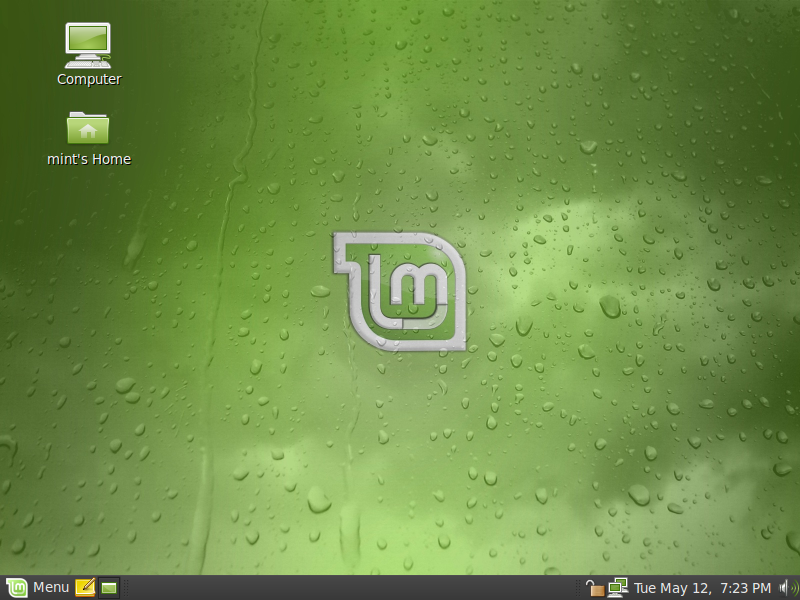
Based on Ubuntu 9.04 Jaunty Jackalope, Linux 2.6.28, Gnome 2.26 and Xorg 7.4, Linux Mint 7 "Gloria" features a lot of improvements and the latest software from the Open Source World.
mintMenu improvements
Highlights: New "Suggestions" feature, keyboard shortcut, trash statusmintMenu lets you filter the list of applications to quickly access what you're looking for. A new feature called "Suggestions" was introduced in Linux Mint 7: When filtering gives no results the menu now shows a set of suggestions related to what is being searched.
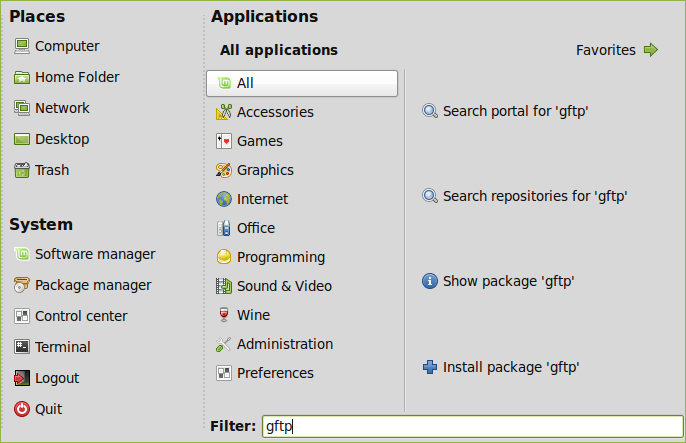
This makes it easier to install new applications or packages on the fly or to search the portal or the repositories, directly from the menu itself.
The menu can now be opened from the keyboard by pressing the left Control key and the left Super key (Windows key) simultaneously. This is configurable of course so you can assign it any key you want (note that you'll need to restart the menu for this take effect). The menu also closes itself when either the Super key or the escape key are pressed.
Favorites now come pre-filled and comments are shown under the applications. These features were already present in previous releases but weren't well known by most users.
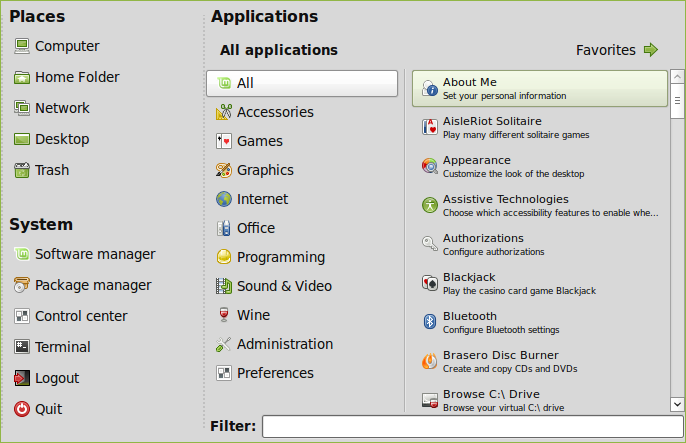
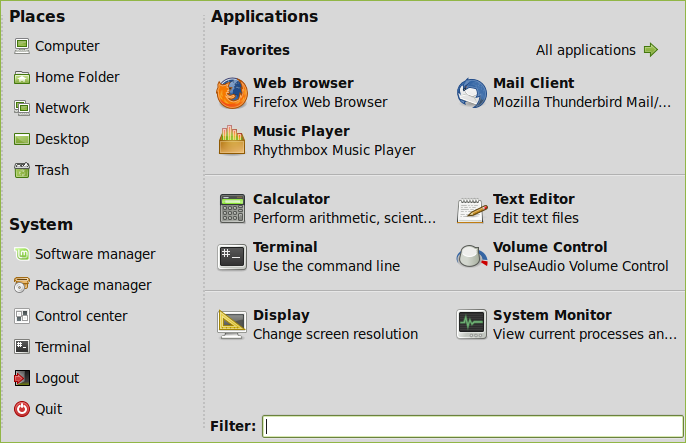
Hovering the menu now shows the Linux Mint release version and edition as a tooltip.
The trash icon now indicates whether the trash is empty or not and a right click option was added to empty it.
Video of mintMenu
mintInstall improvements
Highlights: Featured applications, pre-filled information, seamless screenshots downloads, improved GUI layoutSome of the most popular applications were gathered in a new window named "Featured applications". This window shows the popular applications which are available and not currently installed on the system:
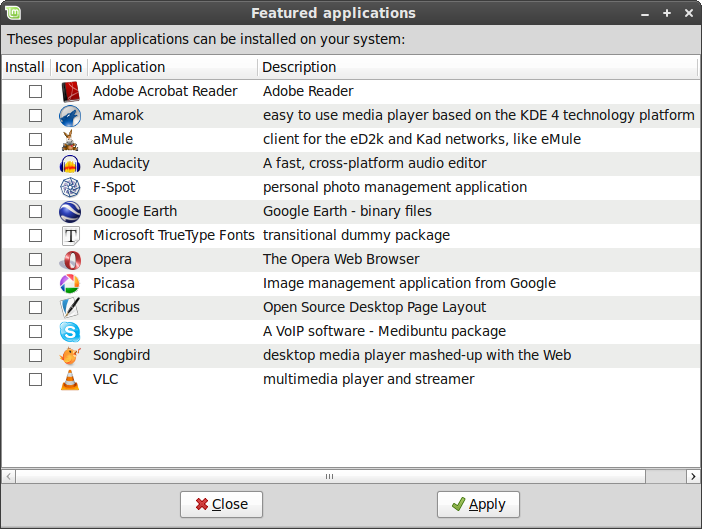
This makes it simpler for you to install most of what people are commonly looking for, all in one go.
The mintInstall frontend now comes pre-filled with all the data required to browse and install software, with the exception of the screenshots. Compared to the older versions of mintInstall this means you don't actually need to refresh the application to be able to use it.
When missing, screenshots are downloaded automatically. Of course, the "Refresh" button can still be used to download all of them at once.
The GUI layout was improved. The main window now shows less information and the once called "Versions" button was replaced with "More info".
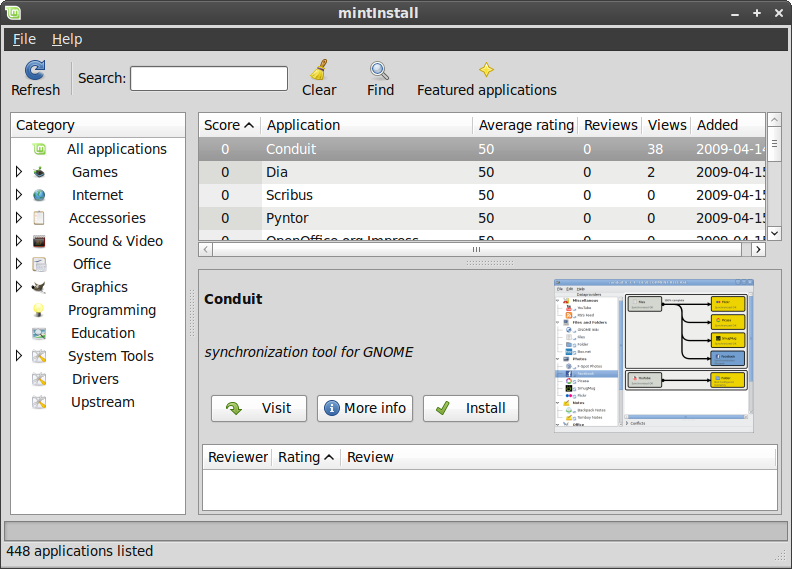
This opens a window where you can see the versions, licenses, package names and repositories, but now also the upstream website, a long description, and the size of the packages.
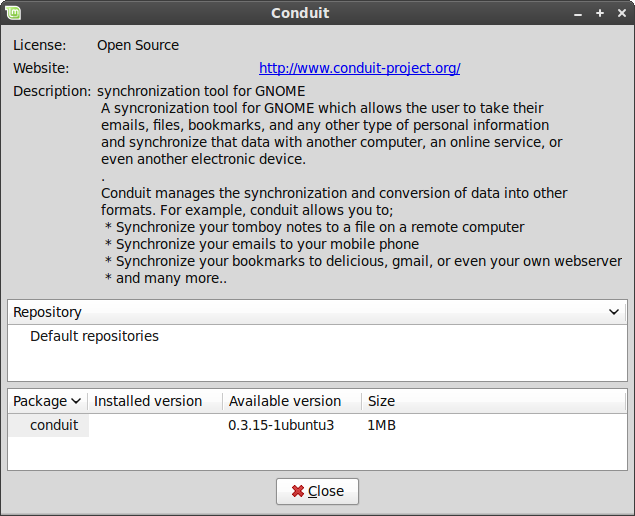
MintInstall now runs in root mode and doesn't store any information in your home folder anymore.
Video of mintInstall
mintUpdate improvements
Highlights: Changelogs, package sizes, usability,The changelog tab now supports Linux Mint packages. Previous versions of mintUpdate could only show changelogs for packages maintained by Ubuntu.
mintUpdate now shows the download size associated with each package upgrade.
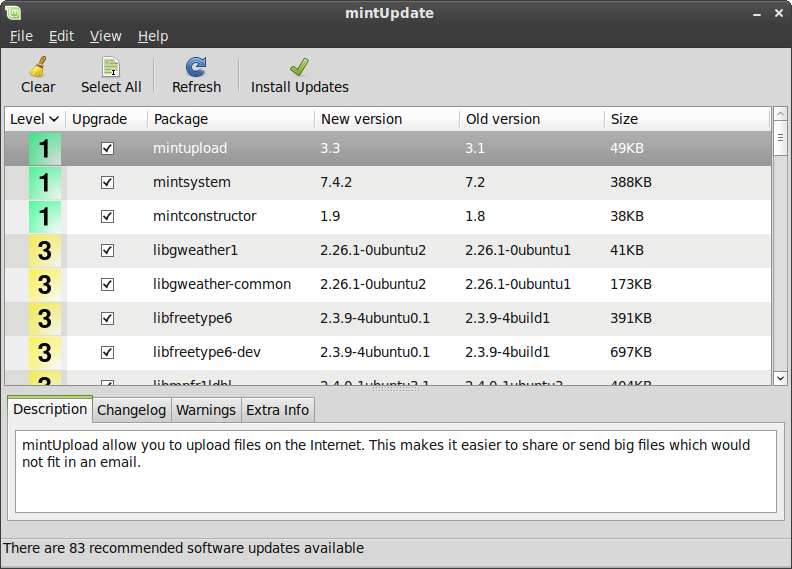
In accordance with the Gnome usability guidelines mintUpdate's system tray icon does not blink anymore. The presence of available updates is still quite noticeable as different icons are being used. The update manager now feels even less intrusive.
Video of mintUpdate
mintUpload improvements
Highlights: Ads-free, GUI improvements, graphical service manager, SCP/SFTP supportAll ads were removed from the the default service.
The GUI layout was improved in mintUpload to make the application simpler to use and to hide information which wasn't relevant to the selected upload service.
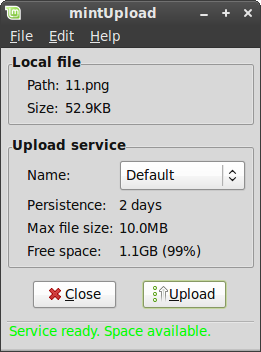
Services can now be created, edited or deleted graphically via a new service manager.
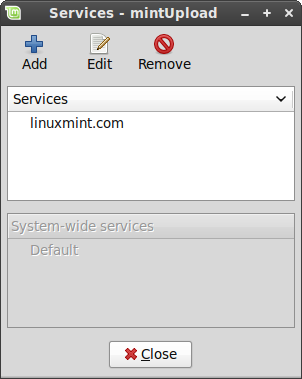
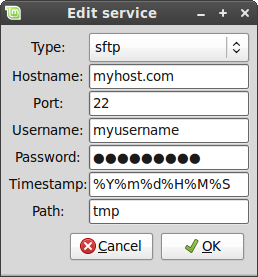
Two new protocols are supported by mintUpload: SCP and SFTP.
Credits go to Philip Morrell, Manuel Sandoval, and Dennis Schwertel for their work on the SCP/SFTP support and for their continuous help in improving mintUpload.
mintWelcome
Linux Mint now comes with the following welcome screen:
Command line goodies - apt version, rtfm
You can quickly get the version of an installed package by typing "apt version" followed by the package name. For instance, "apt version firefox" gives you the version number of the firefox package.
RTFM is not an insult anymore, it's now a command. It's a simple link to the "man" command of course and it's nothing special, but if someone ever RTFMs you after you've asked questions on the IRC, don't feel bad about it, just say thank you. This is our way to make fun of the unfortunately well-established RTFM syndrom and we hope, if anything, you find it amusing.
New artwork
The default icon set was replaced with Gnome Colors.
Various upstream improvements in the Murrina engine used by the traditional Linux Mint theme make widgets, and buttons in particular, look better than they did before.
A new theme was included and set as default, based on Shiki Colors and the Mint-Dew wallpaper from Zwopper.
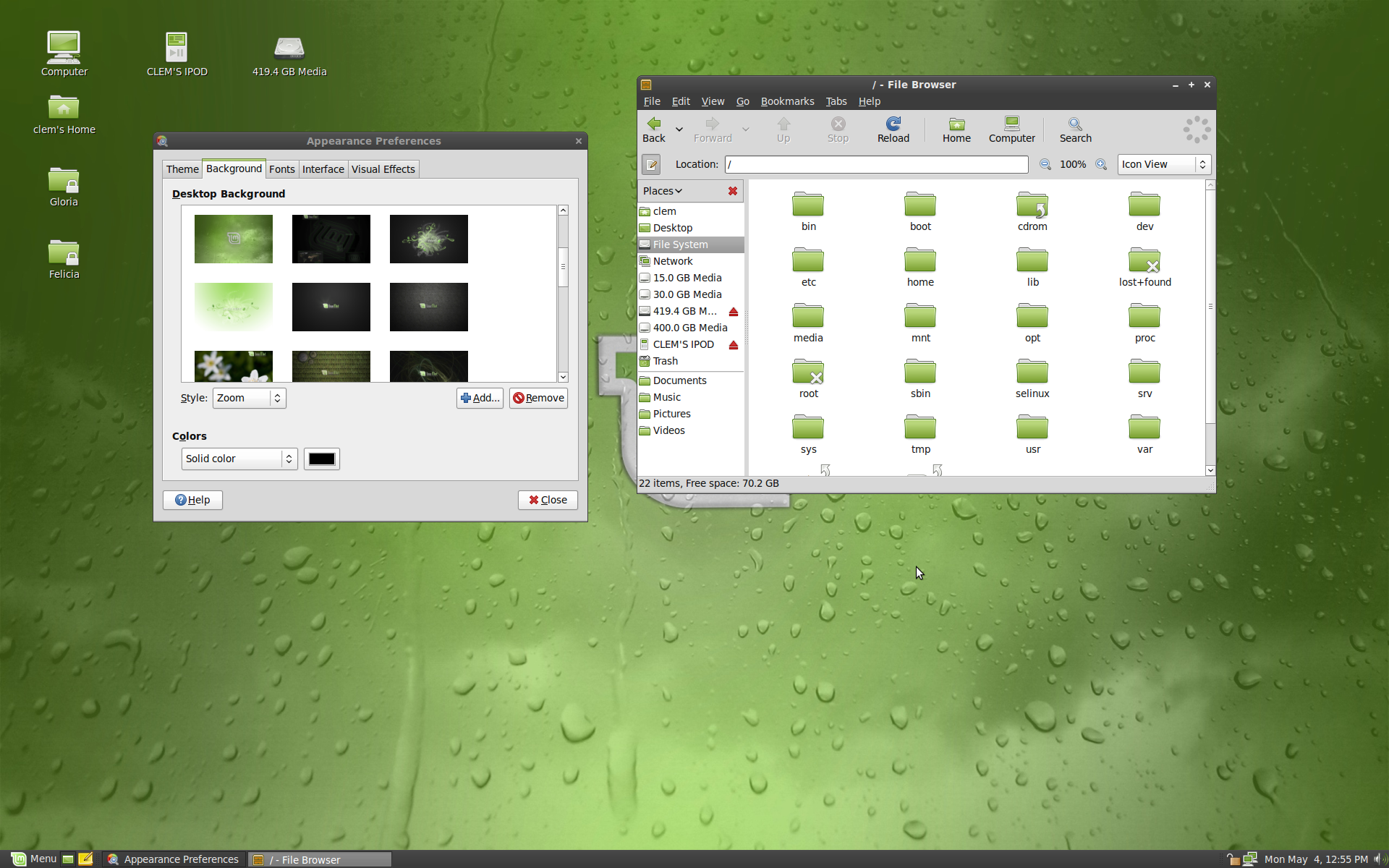
Other improvements
Firefox now comes with the Moonlight plugin and support for Silverlight 1.x.
The Firefox google search engine was enhanced to show links to popular search engines, as well as cached links and similar pages.
The Linux Mint 7 Gloria repositories are now signed.
Changes in the packages organization and the introduction of the mint-info virtual package make it easier to add additional desktops environments and editions on top of other ones. The new package hierarchy also makes it easier to upgrade Linux Mint.
mintSystem now comes with a new adjustment system, which restores important files at boot time. This strenghen the system against Ubuntu package upgrades overwriting Mint's specific configuration. This adjustment system can be configured in /etc/linuxmint/mintSystem.conf.
It is now possible to check the integrity of the liveCD and to boot the installer on its own.
MintAssistant was removed, and the installer now applies the same password to root as the one you choose for the main user.
mintDesktop was simplified:
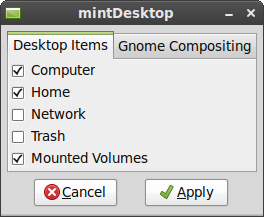
Xchat now replaces Xchat-Gnome as the default IRC client:
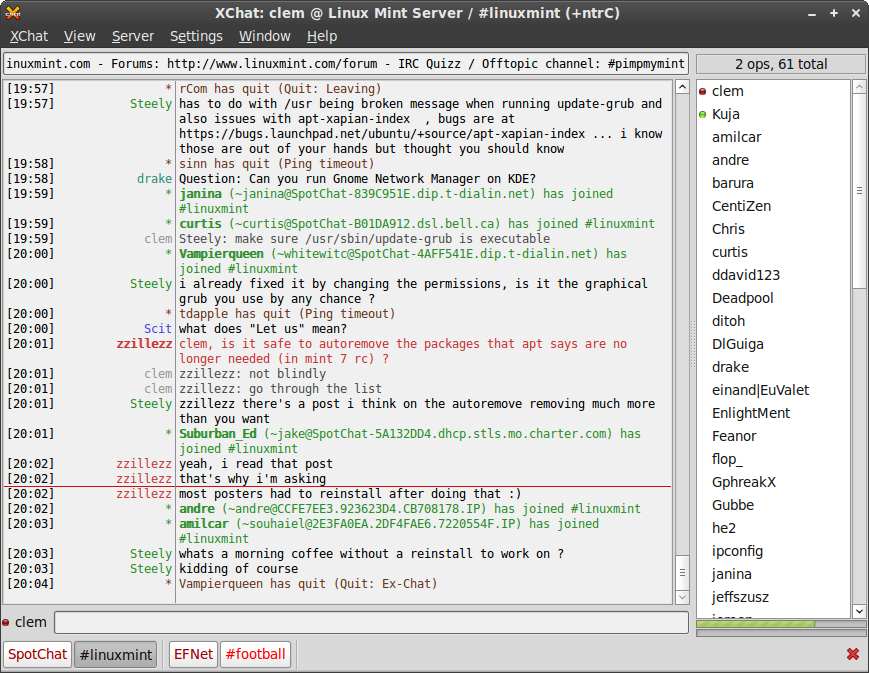
A new command-line too called Inxi, was introduced:
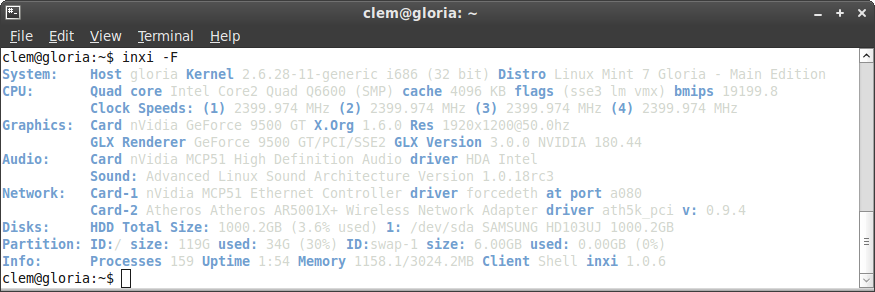
Inxi shows various information about your system. An Inxi report can help a lot when asking questions on the forums or in the IRC as it helps others understand more about your system.
Small improvements:
- "apt purge" was fixed.
- "apt source" now runs in user mode.
- All Mint tools are now launchable from the command line.
- All Mint tools now detect their environment and adapt to it. In particular they know whether to use gksu or kdesudo. The consequence of this is that packages like mintupdate-gnome or mintupdate-kde are not needed anymore, and the same package is now compatible with all desktop environments.
- All Mint tools using an about dialog now show their own version number.
Upstream Improvements
Linux Mint 7 Gloria comes with a linux 2.6.28 kernel.
Gnome 2.26 comes with noticeable improvements in PulseAudio support, screen management, file-sharing, and disc burning.
The Ubiquity installer features graphical improvements and support for the ext4 filesystem.
Ubuntu 9.04 also introduced better notifications, faster boot times, enhanced suspend-and-resume and better switching between Wi-Fi and 3G connections.
Information
Our latest release is Linux Mint 7, codename "Gloria". Please choose the edition you wish to download. If you're new to Linux Mint or if you're unsure as to which edition is right for you, choose the Main Edition.
Read the Linux Mint 7 User Guide (2.0MB)

Choose an edition
Main Edition
Choose this edition if you're new to Linux Mint or not sure which edition to choose.
Universal Edition
This edition aims to provide the same features as the Main Edition without including proprietary software, patented technologies or support for restricted formats. If you're a magazine, a reseller or a distributor in Japan or in the USA then choose this edition.
It also comes as live DVD and features built-in support for English, French, Spanish, German, Italian, Swedish, Danish, Chinese, Korean, Portuguese/Br, Portuguese/Pt, Arabic, Hungarian, Lithuanian, Galician, Dutch, Russian, Polish, Norwegian, Japanese, Ukrainian, Romanian, Slovenian, Catalan, Greek, Czech, Slovak, Marathi, Norwegian [nynorsk], Croatian, Bulgarian, Turkish, Hindi, Finnish, Hebrew, Serbian, Belarussian and partial support for Basque and Bosnian.
x64 Edition
This edition wasn't delivered for Linux Mint 7 yet. This is Linux Mint 6 Felicia x64.
This edition supports the X86_64 architecture and it is optimized for 64bit processors. Note that the Main Edition (which is 32bit) is usually more stable and it also supports 64bit processors.
Subscribe to:
Posts (Atom)

Counter
